New & Used Office Copier Sales in Miami — Your Practical Guide to Buying, Leasing, and Maintaining Business Copiers
Buying or leasing a copier in Miami means balancing cost, uptime, and data safety while matching a machine’s features to how your team actually works. This guide walks through the real differences between new and refurbished copiers, when leasing makes more sense than buying, and how maintenance plus managed IT cut downtime and protect sensitive documents. You’ll see the practical upside of new models (latest features, warranties, AI-enabled workflows), the savings and sustainability benefits of refurbished units, and a simple decision framework for lease vs. purchase. We also lay out preventative maintenance, managed print approaches that control total cost of ownership, and concrete cybersecurity steps to secure networked printers in 2024.
Use the examples, comparison tables, and checklists here to evaluate Ricoh, Sharp, Epson, and Brother options and choose the right procurement or leasing path. Finally, learn how a local partner like Barlop Office Systems pairs copier sales with managed IT and cybersecurity to keep your devices secure and productive.
Benefits of Buying New Office Copiers in Miami
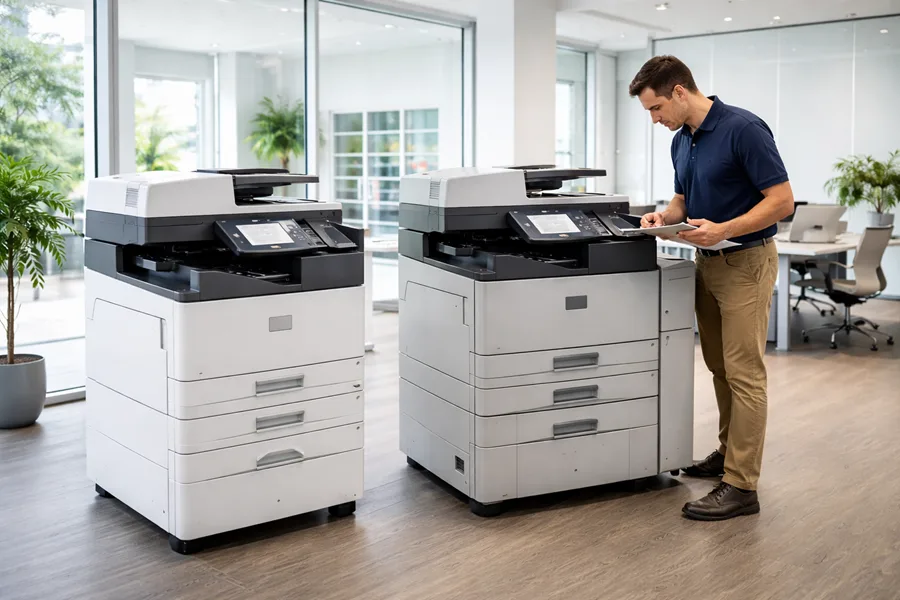
Buying new gives you the latest printing, scanning, and built-in security from the manufacturer plus full warranty coverage—important for lowering risk early in ownership. New models bring faster engines, improved color accuracy, modern touch controls, and firmware protections for files and network traffic. For high-volume teams, that reliability translates to higher uptime and predictable throughput, which improves day-to-day efficiency and long-term return on investment. Knowing these advantages helps you prioritize speed, security, and AI-driven workflow tools that actually cut manual steps and administrative overhead.
Here are the buyer benefits framed as clear, actionable advantages that match common business needs.
- Faster throughput and modern finishing: New machines shorten job time and improve document presentation.
- Manufacturer warranty and support: Full warranties lower repair risk and stabilize maintenance costs.
- Advanced security features: Firmware protections and secure-print workflows safeguard sensitive data.
- AI and cloud integration: Automated workflows and cloud connectors speed document handling.
These points naturally lead into vendor and model selection—next we highlight brands and a model-focused comparison to help narrow choices before you calculate total cost of ownership.
Different new models emphasize speed, color accuracy, security, or workflow automation. Comparing core specs narrows the field so you can evaluate TCO with confidence.
Top Brands and Key Features for New Office Copiers
Ricoh, Sharp, Epson, and Brother are commonly available in Miami, and each fits different workflows and volume profiles. Ricoh MFPs tend to target networked environments with strong security and scalable finishing—good for legal and finance teams that print large reports. Sharp offers dependable color MFPs with accurate color and high-resolution scanning for marketing and design groups. Epson and Brother are often the right fit for lower-volume offices or satellite sites where energy efficiency and a smaller footprint matter.
When comparing brands, focus on speed (PPM), monthly duty cycle, color versus B/W needs, built-in security, and cloud/mobile connectivity. Use clear alt text on product photos that lists key specs (for example, “Ricoh 60 ppm color MFP with secure-print and finisher”) so stakeholders can compare visually as well as by the spec sheet.
How AI Integration Improves New Copier Performance
AI in modern copiers shows up as document classification, predictive maintenance alerts, and workflow automation that reduce manual work and improve uptime. Auto-document recognition speeds scan-to-folder and scan-to-email by detecting forms, invoices, or multi-page contracts and applying OCR and routing rules. Predictive maintenance uses telemetry to flag wear and toner trends so you can schedule service visits and avoid surprise downtime.
In practice, AI trims document-processing time by cutting user interactions and suggesting cost-saving print settings. Those efficiencies mean fewer service interruptions, less labor for document handling, and higher user satisfaction—especially for teams that process large volumes of client documents and need consistent accuracy and security.
This quick table shows how brand choices map to business needs and helps procurement teams prioritize models for specific workflows.
Why Choose Used or Refurbished Office Copiers in Miami?

Used or refurbished copiers lower upfront cost and—when properly reconditioned—can deliver near-new performance, making them a smart choice for small firms or branch offices with moderate volume. Refurbished units reduce capital outlay and first-year depreciation, which helps organizations preserving cash and seeking quick ROI. From a sustainability standpoint, refurbishing extends device life and reduces e-waste, aligning procurement with corporate responsibility goals.
A short cost-and-value view helps decision-makers pick the right condition for their operations.
- Used/refurbished models typically cost a fraction of new units, which accelerates breakeven for low-volume users.
- Professional reconditioning and warranty coverage can address reliability concerns common to used equipment.
- If your office has straightforward printing needs and limited finishing requirements, a refurbished machine can meet performance expectations at lower cost.
Below is a quick condition comparison to help evaluate trade-offs between price, warranty, and environmental impact.
This side-by-side view clarifies how refurbished options balance cost and reliability and sets up inspection checklists and vendor guarantees that protect your purchase.
Cost Savings and Reliability of Used Copiers
Buying used can cut initial capital outlay by several thousand dollars compared with a new equivalent—making it a practical option for low- to moderate-volume environments. Reliability hinges on the refurbisher’s process and whether wear items (rollers, belts, drums) were replaced. Thorough testing and part replacement are essential for predictable uptime. Use a purchase checklist: confirm monthly duty cycle, request maintenance history, verify firmware level, and secure a clear warranty or service agreement.
Expect slightly higher near-term maintenance versus new machines but much lower first-year depreciation, which often improves short-term ROI for budget-conscious buyers. A solid post-sale support plan is critical—next we outline refurbishment quality controls and local service options to reduce risk.
How Barlop Ensures Quality in Refurbished Copiers
At Barlop Office Systems we offer refurbished units alongside new copier sales and emphasize local reconditioning, inspection, and warranty practices for Miami businesses seeking affordable equipment. Our local process covers comprehensive testing, strategic parts replacement, and a limited warranty with resale—closing the reliability gap between used and new. Working with a vendor that keeps technicians in the region reduces logistics friction and shortens repair response times when parts or service are needed.
When evaluating refurbished equipment, ask about the inspection steps, parts replaced, functional testing, and service plans; a local partner that integrates sales with on-the-ground technician support increases the chance of sustained uptime and predictable ownership costs.
How to Decide Between Leasing and Buying Office Copiers in Miami
The lease vs. buy choice depends on cash flow, refresh cycles, tax treatment, and whether you want maintenance or upgrade flexibility included. Buying often makes sense if you plan to own long-term and minimize recurring payments; leasing is appealing if you want predictable monthly costs, easier upgrades, and bundled maintenance. Many lease agreements include service and supplies, shifting operational responsibility to the lessor and simplifying budgeting.
Simple rule of thumb: lease for lower upfront cost, upgrade flexibility, and included maintenance; buy if you have capital, steady long-term usage, and prefer ownership.
This table summarizes the financial and operational trade-offs so you can match options to your priorities before reviewing lease offers and terms.
Typical Copier Lease Rates and Terms in Miami
Lease rates in Miami depend on device speed, color capability, and included services. Monthly pricing commonly ranges from about $100 to $900 for office MFPs. Shorter-term leases or machines with bundled high-volume service plans trend toward the higher end; desktop or lower-speed devices sit at the lower end. Lease terms typically run 24 to 60 months; many contracts include scheduled maintenance, parts, and supplies to stabilize costs.
When comparing offers, look at total cost over the full term, end-of-lease choices (purchase, return, or upgrade), and what the service coverage actually includes to avoid surprise fees. That clarity helps you make a financially sound selection and compare leasing vendors fairly.
Financial and Operational Advantages of Leasing
Leasing gives predictable monthly costs, built-in maintenance options, and clear upgrade paths—helpful for staying current without major capital outlays. Operationally, leasing reduces procurement friction: the lessor often handles installation, configuration, and scheduled servicing so your staff can stay focused on core work. Financially, leases preserve working capital and can be structured to match cash flow, which benefits organizations prioritizing liquidity.
For example: a mid-sized office might lease a color MFP to get secure-print features and vendor firmware support, then upgrade after three years when volume or security needs change. That scenario leads into preventative maintenance to keep uptime steady regardless of ownership model.
How Copier Repair and Maintenance Services Support Miami Businesses
Repair and preventative maintenance reduce unplanned downtime and protect total cost of ownership through scheduled inspections, wear-part replacement, and rapid on-site repairs. Regular upkeep keeps print engines calibrated, parts refreshed, and firmware up to date so performance and security remain reliable. For multi-device fleets, managed print services centralize support, provide usage reporting, and optimize supplies buying to lower waste and overall printing expense.
An effective maintenance plan combines regular visits, remote monitoring for error codes, and clear escalation paths so failures are resolved quickly—reducing lost productivity and customer-impacting interruptions. Below are common maintenance components local providers offer.
- Scheduled cleaning, wear-part replacement, firmware checks, and consumables monitoring.
- Fast on-site response and local parts availability in South Florida to reduce repair time.
- Proactive monitoring and service agreements that convert unpredictable costs into stable operating expenses.
These fundamentals lead into the types of preventative maintenance plans a vendor might offer and why they matter for uptime.
What Preventative Maintenance Plans Does Barlop Offer?
Barlop Office Systems provides preventative maintenance, repair, and managed support tailored for Miami and South Florida businesses. Our planned maintenance options include scheduled service visits, replacement of common wear parts, and technical support to minimize downtime—important for teams that rely on consistent scanning and printing. Local technician availability enables faster response and a service cadence that matches your business hours and volume.
Choosing a supplier that bundles maintenance with managed IT means firmware updates and network configuration are coordinated, improving both device reliability and security posture. Next, we explain how managed print services complement those maintenance plans.
How Managed Print Services Optimize Copier Usage
Managed print services (MPS) centralize fleet management to track usage, control supplies, and deliver reporting that reduces waste and lowers per-page costs. MPS teams can allocate costs by department, set user quotas, and recommend consolidation—replacing several underused devices with a single, more capable unit. Those changes cut total cost of ownership, improve sustainability by reducing unnecessary prints, and free staff from supply ordering and device monitoring.
For example: after reviewing usage reports, an MPS provider might shift heavy color work to a centralized color MFP and use smaller devices for B/W output—reducing supply spend and technician hours. These operational gains also make it easier to implement stronger device security, which we cover next.
How Managed IT and Cybersecurity Services Improve Copier Security
Networked copiers are endpoints that can store and transmit sensitive documents, so managed IT and cybersecurity practices are essential to protect client data and meet compliance obligations. Measures like firmware lifecycle management, network segmentation, and user authentication reduce attack surface and prevent unauthorized access to stored files. Coordinated IT support also ensures cloud connectors, scan-to-email rules, and secure-print are configured correctly so documents are released only to authorized users.
To secure copiers effectively, apply concrete, operational controls that address common risks and can be managed at scale.
- Keep firmware current and apply secure configurations to close known vulnerabilities.
- Use network segmentation and endpoint monitoring to limit printer access and detect anomalies.
- Require user authentication for print release and encrypt stored data and network traffic.
These three steps form a baseline security posture that integrated IT support strengthens across your fleet.
Cybersecurity Solutions That Protect Office Equipment and Data
Robust copier security includes firmware lifecycle management, encrypted internal storage, secure-print workflows, and role-based access controls that limit document exposure. Firmware lifecycle management means inventorying devices, scheduling updates, and testing upgrades before broad rollout to avoid service disruption. Secure-print workflows require user authentication at device release so sensitive documents aren’t left in output trays.
Implementing these controls inside a managed cybersecurity program ensures consistent application fleet-wide and aligns device security with corporate policies—making audits easier and lowering risk to client data.
How Integrated IT Support Improves Copier Functionality
Integrating copier management with network monitoring, ticketing, and configuration tools speeds troubleshooting and keeps features reliable. When copiers are part of an integrated IT environment, technicians can use centralized logs and alerts to pinpoint network or authentication issues and apply fixes without long delays. Integration also smooths secure cloud workflows like scan-to-cloud or scan-to-email by ensuring service accounts, encryption, and permissions are set up correctly.
This approach reduces mean time to repair, makes features more consistently available to users, and supports proactive fixes that prevent failures—so choose vendors who can provide both equipment and local managed IT services.
Why Miami Businesses Choose Barlop Office Systems for Copier Sales
Barlop Office Systems combines local sales of new and refurbished copiers with repair, leasing, managed print, and managed IT/cybersecurity support to deliver one coordinated point of contact for South Florida businesses. When a single provider handles procurement, preventative maintenance, and network security, administration is simpler and firmware updates, secure-print settings, and service windows stay aligned with IT policy. Local technicians and support for Ricoh, Sharp, Epson, and Brother equipment help Miami organizations maintain uptime and compliance without juggling multiple vendors.
Working with an integrated partner reduces downtime, centralizes procurement, and keeps document workflows secure and efficient—especially important for regulated or high-volume environments.
Barlop’s Key Value Propositions
- One point of contact to reduce vendor coordination and speed escalations.
- Combined copier and managed IT/cybersecurity services to keep firmware and network settings consistent.
- Flexible purchase and lease options to fit a range of budgets and refresh cycles.
These benefits make it practical for local organizations to choose a partner that supports both hardware reliability and security controls.
What Customers Say About Barlop’s Local Expertise
Customers consistently praise our responsiveness, local knowledge of South Florida operations, and the value of integrated services that reduce downtime and simplify support. The common themes are faster onsite response, service windows aligned to business needs, and easier coordination between copier support and IT teams. Ask for localized case studies and measurable results—like reduced downtime or simplified procurement—to validate expected outcomes and build confidence in a local, integrated partner like Barlop Office Systems.
- Evaluate device needs by monthly volume and required finishing features.
- Compare total cost of ownership across new, refurbished, and lease options.
- Confirm local service availability and managed IT integration to secure devices.
Follow these steps as a practical procurement checklist, then contact a local partner for quotes and tailored service proposals.
Frequently Asked Questions
What should I consider when choosing between leasing and buying a copier?
Consider cash flow, how long you expect to keep the device, and whether you want maintenance and upgrade flexibility. Leasing lowers upfront cost and gives predictable monthly payments—good for teams that need flexibility or frequent upgrades. Buying makes sense if you have capital, expect long-term use, and prefer ownership. Match your decision to upgrade frequency, cash priorities, and internal IT capacity.
How can I ensure the reliability of a used copier?
Buy from a reputable dealer that provides documented refurbishment and warranty coverage. Request maintenance history, confirm that wear items (rollers, belts, drums) were replaced, and verify firmware is current. A detailed inspection checklist and a clear service agreement are the best ways to reduce risk and ensure a dependable used machine.
What are the environmental benefits of choosing refurbished copiers?
Refurbished copiers extend device lifecycles and reduce electronic waste, which lowers the environmental cost of new manufacturing. Choosing refurbished equipment supports sustainability goals, contributes to a circular economy, and reduces the overall carbon footprint tied to office hardware.
What types of maintenance services should I expect from a copier provider?
A good provider offers scheduled preventative maintenance, prompt on-site repairs, and remote monitoring. Preventative care should include inspections, cleaning, and wear-part replacement. Remote monitoring helps spot issues before they escalate. Ask about service agreements that cover parts and labor for predictable support.
How do managed print services (MPS) benefit my business?
MPS optimizes device usage, reduces costs, and improves efficiency by analyzing print patterns and recommending consolidation or reallocation. MPS handles supply ordering and maintenance, freeing internal staff to focus on core work while providing actionable reporting that lowers total cost of ownership.
What security measures should I implement for networked copiers?
Key steps include regular firmware updates, user authentication for print release, and network segmentation. Firmware updates close known vulnerabilities; authentication prevents unattended documents; and segmentation limits access to authorized users. Also encrypt stored data and transmissions to protect sensitive information. These measures support compliance and reduce breach risk.