
Power up your print environment
Become the all-knowing, cost-cutting, print-taming, environment-saving, digital-transforming,
security-enforcing champion of print management. Here’s how.
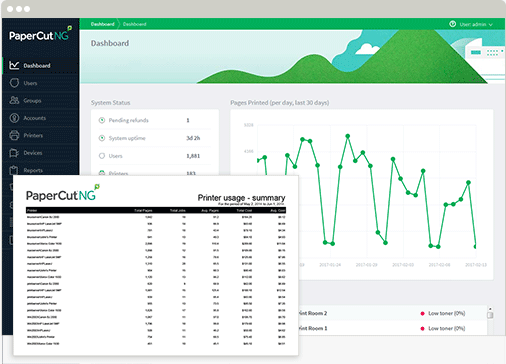
Audit and Track Print Jobs for Complete Visibility
"Who printed that 3,000 page
document yesterday?"
Instantly see who is printing, what they are printing, when they
printed and on which device. View the central dashboard, any one
of the 80 pre-built reports and the document archive (so you
never have to chase down answers again).
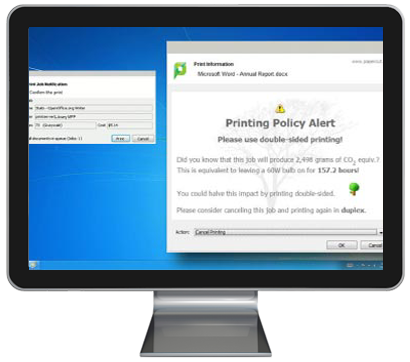
Print Policies
"Did you know that the intern printed 2,000 pages single-sided?"

Mobile & BYOD Printing
"How do I allow my staff to print from
whatever device they are working on?"
Don’t let Mobile and BYOD printing become an unnecessary burden with a range of tools to manage printing across all devices
and platforms. Allow your staff to print with the freedom and
simplicity the devices they’re using were meant for with Mobility Print, Web Print, Email to Print, Google Cloud Print and iOS Printing. Got guests? Visitors can print too.
Print Deploy
"How do I make sure that all staff have the right printers and drivers installed?"
Print Deploy takes the complexity out of print queue deployment by getting the right driver and right print queue to the right person in the right location, automatically.
No need for a print server or for computers to be joined to a local domain.

Cost Control
"Who's going to pay for that much
printing?"
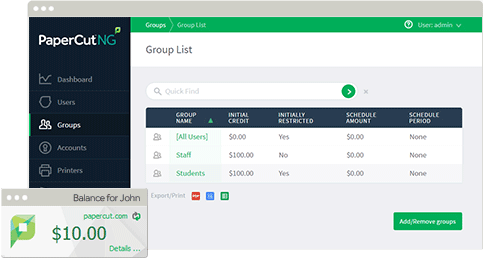
Start by tracking costs by user, department, client or custom
shared accounts.
Get further control by allocating print quotas to users,
departments or clients. They can track their print balances, and
once the quota is gone, it’s gone!
Implement a pay-per-use model to recoup printing costs. For
individual user payments integrate with popular payment
gateways. Or make client billing seamless by allocating costs to a
client, project or department.
Document and Device Security
"The payroll statements were sitting on the printer. Where did they go?"
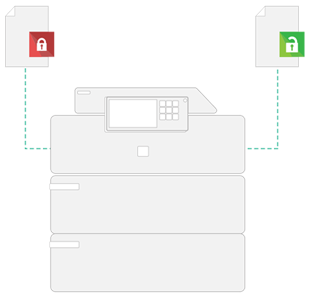
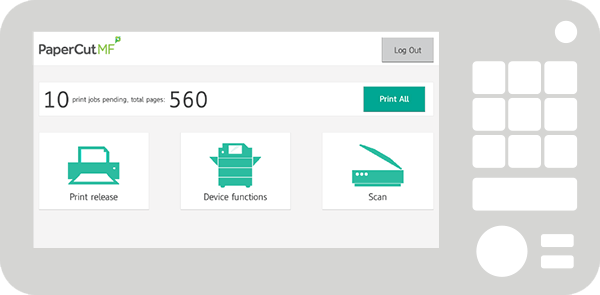
Protect sensitive documents with Find-Me printing. Users print once to a global virtual queue and release securely while at the device.
Secure your devices with User Authentication via a touch screen or card reader at the MFD.
Add an extra layer of security by using watermarking and digital signatures to include the owner ID to every document.
Integrated Scanning
"Easy to set up. Easy to use!"
Automate business processes by pre-configuring and deploying user Scan Actions. With one click, users can scan to a variety of
destinations including Scan to Email or Folders, and Scan to Cloud
Storage. And create text-searchable and editable documents with
OCR (Optical Character Recognition).
User Tools
"How can I help users print responsibly and easily?"
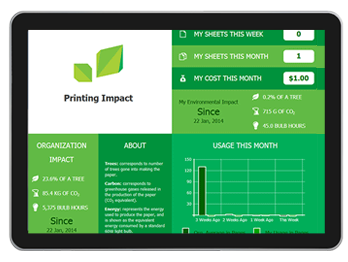
Encourage responsible printing by sharing the environmental impact with users. The Environmental dashboard, Windows Live Tile and the Environmental Widget can help shape behavior.
Keep print costs and rules visible to users with the desktop Client Tool.
Allow users to print from their web browser or mobile device as well as release documents securely at the printer using an existing ID badge or their smart phone.
Also, it's a super fast setup.
"What will I do with the rest of my
afternoon?"
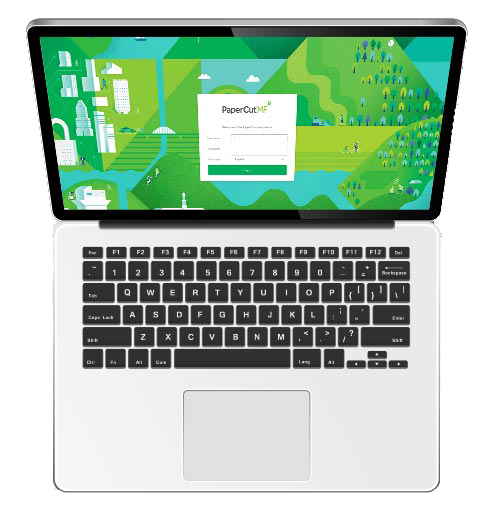
Easy and flexible setup with auto synchronization of user
and group information from a source such as Windows Active
Directory.
One license has got you covered – for all operating systems with
unlimited servers. Add embedded licenses when you want to
control multifuction devices.
Host locally on your own print server, across multi-sites, or in
environments where there’s no print server. Or maybe you need
a combination of all three which is a little more flexible.
CONTACT US FOR MORE INFORMATION
Contact
Address
6508 NW 82 AVENUE MIAMI, FL 33166
Sales
(786) 833-7781
Other Inquiries
(305) 594-0470
Working Hours
| Mon – Fri: | 09:00 – 05:00 |
|---|

© 2025 All Rights Reserved Barlop Business Systems. Powered by 1-800 Office Solutions
Privacy Policy | Terms of Use | Legal Terms & Conditions
Comprehensive Print Management Solutions
Barlop Business Systems offers a robust suite of print management solutions designed to optimize your organization's printing needs. With PaperCut software at the core, businesses can gain comprehensive insights into their printing habits, enforce policies, and enhance document security. This holistic approach not only streamlines operations but also promotes a sustainable printing environment.
By implementing these solutions, organizations can significantly reduce waste, control costs, and improve overall efficiency. The integration of features like print visibility and policy enforcement ensures that every print job is accounted for, allowing for better resource management and environmental responsibility.
Benefits of Using PaperCut
Choosing PaperCut as your print management solution brings a multitude of benefits that can transform your printing environment. Users can easily manage and monitor print jobs, leading to increased accountability and reduced unnecessary printing. The software also offers customizable features that cater to specific organizational needs, making it a versatile choice for any business.
Moreover, the implementation of PaperCut can lead to significant cost savings. Organizations that adopt this technology often find that they can lower their printing expenses by up to 30%, thanks to features like print quotas, user tracking, and the ability to allocate costs to specific departments or projects, ensuring that every print job is justified.
Case Studies: Success Stories with PaperCut
Numerous organizations have successfully implemented PaperCut and witnessed remarkable improvements in their printing processes. For instance, a mid-sized law firm reported a 40% reduction in printing costs after adopting PaperCut, thanks to enforced double-sided printing and user quotas. Such success stories highlight the potential of PaperCut to not only streamline printing but also contribute to significant financial savings.
Another example is a large educational institution that utilized PaperCut to manage printing across multiple campuses. With features like Mobility Print and Web Print, students and staff enjoyed seamless printing experiences while the institution maintained strict control over printing expenditures. These case studies exemplify how PaperCut can be tailored to meet diverse organizational needs while achieving impressive results.
Getting Started with PaperCut
Starting with PaperCut is a straightforward process that can be tailored to fit your organization's specific requirements. The setup can be completed quickly, whether you're hosting it locally or in a cloud environment, ensuring minimal disruption to your existing workflows. Barlop Business Systems provides comprehensive support during the implementation phase to ensure a smooth transition.
Additionally, ongoing support and training are available to help users maximize the benefits of PaperCut. With resources like how-to videos and dedicated customer service, organizations can ensure that their teams are well-equipped to utilize the software effectively, leading to a more efficient and cost-effective printing environment.