Your Complete Guide to Copier Costs, Leasing Options & Smarter Print Budgets for Miami Businesses
A new business copy machine costs anywhere from $1,500 for a basic model to $40,000+ for a high-volume commercial unit. Most Miami small and mid-sized businesses spend between $150 and $450 per month on a leased multifunction copier. And the real savings come not from the sticker price but from aligning your equipment to your actual print volume, maintenance needs, and long-term workflow goals.
Why 2026 Is the Right Year to Budget for a New Copy Machine
Are you still running the same copier your office bought back in 2018 or 2019? If so, you are not alone. Many South Florida businesses hold onto aging print equipment far longer than they should, mostly because replacing a copier feels like a big expense. But here is the thing: your old machine is probably costing you more every month than a brand-new replacement would.
Office technology has changed dramatically in just the past few years. Modern multifunction copiers now include built-in cybersecurity features, cloud scanning, mobile printing, and AI-powered workflow automation. So if your current machine still requires a USB cable to print, you are leaving money and productivity on the table.
Barlop Business Systems has helped Miami businesses upgrade their print environments for over 40 years. We see the same pattern again and again: companies wait too long to replace aging equipment, rack up repair bills, and lose hours of productivity to paper jams and slow print speeds. Budgeting for a new copier is not just about replacing hardware. It is about giving your team the tools to work faster.
What an Aging Copy Machine Actually Costs Your Business
Think your current copier is “good enough”? Consider what you are actually paying. The purchase price is only a fraction of your total cost of ownership (TCO). Toner, maintenance contracts, energy consumption, paper waste, and repair calls all add up. According to industry data, businesses buying a low-cost copier without evaluating service terms pay an average of 37% more annually in hidden operational costs compared to those who invest in a properly matched machine with inclusive support.
Average increase in hidden annual costs when businesses skip proper copier planning
And none of this accounts for downtime. Every minute your copier is jammed, offline, or waiting for a repair technician, your team is stuck. For a busy Miami law firm, medical practice, or logistics company, even two hours of copier downtime per week translates to lost revenue over a full year.
Color copiers carry an even bigger gap. They cost two to three times more to purchase and maintain than black-and-white models. But many businesses default to color machines without actually needing color capability for their daily workflows. A quick print assessment can reveal whether you truly need color or if a monochrome workhorse would save you thousands annually.
Copy Machine Costs in 2026: What Miami Businesses Should Expect
Copier pricing varies widely depending on speed, features, and volume capacity. Here is a realistic breakdown of what businesses in the Miami, Doral, and broader South Florida area can expect to pay in 2026:
| Category | Purchase Price | Lease (Monthly) | Best For |
|---|---|---|---|
| Small Office (up to 25 ppm) | $1,500 – $5,000 | $89 – $175 | Startups, small teams, low volume |
| Mid-Range MFP (30 – 55 ppm) | $5,000 – $15,000 | $199 – $450 | Growing businesses, 5K-25K pages/month |
| High-Volume Commercial (60 – 100+ ppm) | $15,000 – $40,000+ | $499 – $1,200 | Large offices, print rooms, high output |
| Certified Refurbished | 40% – 60% less than new | Varies | Budget-conscious with moderate volume |
Keep in mind: the sticker price tells only part of the story. A standard cost-per-copy service contract runs $0.01 to $0.015 per black-and-white page and $0.06 to $0.12 per color page. Over a typical 36-month lease, consumables and service can add 30% to 50% on top of the base equipment cost.
Should You Lease or Buy Your Next Copy Machine?
This is the question every business owner asks. And the answer depends on your cash flow, how long you plan to keep the machine, and whether you value flexibility over outright ownership.
Leasing is the most popular choice among South Florida businesses for good reason. Monthly payments are predictable, maintenance is typically bundled into the contract, and you can upgrade to newer technology every three to five years without a massive capital outlay. For a mid-range multifunction copier printing 10,000 black-and-white pages per month, a five-year lease runs roughly $21,400 total.
Buying that same machine? About $20,700 over five years when you factor in a separate maintenance agreement. So the total spend is surprisingly close. But buying ties up capital, and you are stuck with aging technology once the warranty expires.
| Factor | Leasing | Buying |
|---|---|---|
| Upfront cost | Low or none | Full purchase price |
| Monthly payment | $89 – $1,200 | None (already paid) |
| Maintenance | Often included | Separate contract required |
| Technology refresh | Every 3-5 years | Only when you rebuy |
| Tax benefits | Monthly deductions | Section 179 deduction |
| 5-year total (mid-range) | ~$21,400 | ~$20,700 |
For most small and mid-sized businesses in Miami, leasing wins on flexibility. You get predictable costs, bundled service, and a clear upgrade path. But if you run a stable operation with low print growth and want to minimize total spend, purchasing can make sense too.
Why Print Volume Is the Most Important Number in Your Budget
Here is a stat that surprises most business owners: 73% of companies underestimate their monthly print volume. That means nearly three out of four businesses end up with a copier either too small for their needs or running at capacity within 18 months. Both scenarios cost you money.
of businesses underestimate their monthly print volume, leading to costly equipment mismatches
An undersized copier wears out faster, triggers more service calls, and produces lower quality output as it ages. An oversized copier wastes capital on features and speed you never use. The sweet spot is matching your machine to your real-world volume, and it all starts with a print assessment.
Consider this example: A small Miami accounting firm prints 3,000 pages per month. They purchased a $1,200 consumer-grade copier with toner costing $0.06 per black-and-white page. Over 36 months, their total spend hits $7,680. A business-class model priced at $3,000 with $0.02-per-page toner? That comes to just $5,160 over the same period, saving $2,500.
Getting your volume right is not guesswork. Barlop offers free print assessments that track your actual usage across every device in your office, so you can budget with real numbers instead of estimates.
Key Features to Look for in a 2026 Business Copier
Copy machines have evolved far beyond basic print-and-copy functionality. Today’s multifunction printers (MFPs) serve as central hubs for document workflow, security, and cloud connectivity. When budgeting for a new machine, make sure you are evaluating these capabilities:
- Cloud scanning and printing: Send scans directly to Google Drive, OneDrive, SharePoint, or Dropbox without touching a desktop. Mobile printing from phones and tablets is now standard on most business-class models.
- Built-in security: Modern copiers include encrypted hard drives, user authentication, secure print release, and automatic firmware updates. For Miami businesses handling sensitive client data, these features are non-negotiable.
- AI-powered workflow automation: Some 2026 models can auto-route documents based on content, reduce manual data entry, and flag errors before printing. This is where the real productivity gains live.
- Energy efficiency: Newer machines use significantly less power and produce less waste. Sustainability drove 62% of copier buyers toward low-TCO models in recent years, according to industry surveys.
- Touchless operation: NFC badge printing, voice commands, and smartphone-controlled interfaces reduce shared surface contact in busy offices.
- Scalable configurations: Add finishing options like stapling, hole-punching, and booklet-making as your needs grow, without replacing the base unit.
Not every business needs every feature. But understanding what is available helps you avoid overspending on capabilities you will never use while making sure you do not skip features that pay for themselves in saved time.
How Managed Print Services Cut Copier Costs by 20-30%
If you are budgeting for a new copier, you should also consider how that machine fits into your broader print environment. Managed Print Services (MPS) takes a holistic approach: instead of managing individual machines in isolation, an MPS provider monitors, maintains, and optimizes your entire fleet.
The results speak for themselves. Organizations using MPS reduce overall print spending by 20% to 30%. They also see a 10% to 15% reduction in wasted output and up to a 30% decrease in energy consumption, according to the Business Technology Association.
The MPS market reflects this value. Valued at roughly $54 billion in 2026 and projected to grow at nearly 9% annually through 2031, more businesses every year are shifting from break-fix copier management to proactive MPS strategies.
For a mid-sized Miami business printing 20,000 pages per month, that 20-30% savings could mean $3,000 to $5,000 back in your pocket every year. Over a five-year lease term, that adds up fast.
5 Copier Budgeting Mistakes That Cost Miami Businesses Thousands
We have worked with hundreds of South Florida businesses over four decades, and certain budgeting mistakes come up again and again. Avoiding these will save you significant money:
1. Ignoring Total Cost of Ownership
Buying the cheapest machine upfront almost always costs more over three to five years. Toner, parts, service calls, and energy draw add up quickly on low-end equipment. Always compare TCO, not just sticker price.
2. Skipping the Print Assessment
Without hard data on your monthly volume, you are guessing. And guessing leads to machines that are either too small (frequent breakdowns) or too large (wasted capital). A free print assessment eliminates this risk entirely.
3. Overlooking Service Contract Terms
Not all service agreements are created equal. Some include toner and parts; others charge extra. Some guarantee four-hour response times; others leave you waiting days. Read the fine print before signing.
4. Defaulting to Color When Monochrome Would Do
Color copiers cost two to three times more to maintain. If 80% of your printing is black and white, a monochrome MFP with a smaller color device for occasional needs is usually the smarter play.
5. Forgetting About Security
Every copier connected to your network is a potential entry point for cyberattacks. Older machines without encrypted drives or automatic firmware updates are especially vulnerable. The Cybersecurity and Infrastructure Security Agency (CISA) recommends treating printers and copiers as part of your network security strategy, not as standalone devices.
New vs. Refurbished Copiers: Which Makes Sense for Your Budget?
Certified refurbished copiers cost 40% to 60% less than brand-new models. For budget-conscious businesses in Doral, Kendall, Brickell, and across Miami-Dade County, refurbished machines can be a smart choice if you pick the right dealer.
The key word is “certified.” A properly refurbished copier has been disassembled, inspected, cleaned, and rebuilt with new wear parts. It should come with a warranty and a service agreement. A used copier sold “as-is” on the secondary market? That is a gamble.
| Factor | New Copier | Certified Refurbished |
|---|---|---|
| Price | Full retail | 40-60% less |
| Warranty | Full manufacturer warranty | Dealer warranty (varies) |
| Latest features | Yes | May lack newest security/cloud features |
| Lifespan | 7-10 years typical | 3-5 years typical |
| Best for | Long-term investment, high volume | Budget priority, moderate volume |
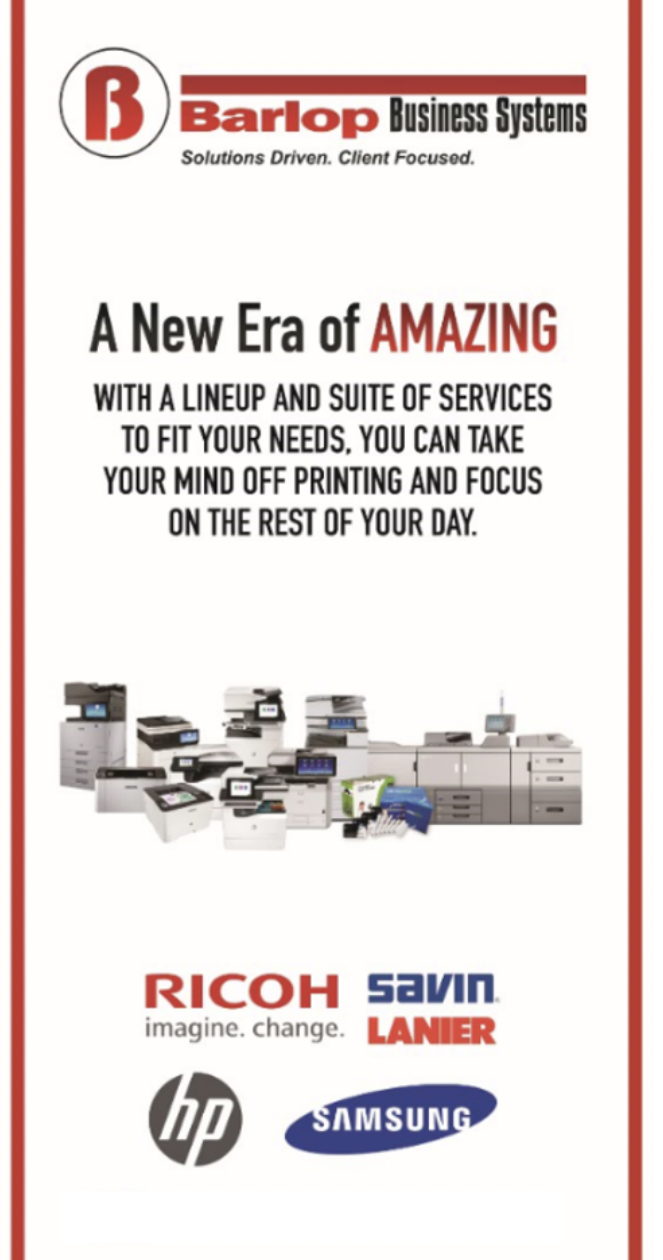
Barlop Business Systems offers both new and certified refurbished options from top brands like Ricoh, Sharp, and Brother. Our team can help you weigh the trade-offs based on your actual workflow and budget constraints.
How Barlop Business Systems Helps Miami Businesses Budget Smarter
Choosing the right copier is only half the equation. You also need a dealer who stands behind the sale with fast service, honest advice, and deep local knowledge. Barlop has provided exactly this to South Florida businesses since 1983.
Free Print Assessments
We audit your current devices, track actual volume, and recommend the right fit for your budget.
Flexible Leasing
Choose from 36, 48, or 60-month lease terms with bundled maintenance and toner included.
Fast Local Service
Our technicians are based in Miami and respond quickly because downtime costs you money.
Security-First Approach
Every machine we deploy is configured with encryption, secure print, and network hardening.
Cloud Integration
We set up scanning to cloud, mobile printing, and workflow automation from day one.
Family-Owned Trust
Woman- and minority-owned, with over 40 years of community roots in South Florida.
We do not push the most expensive machine on our floor. We match your office to equipment that fits your volume, your budget, and your growth plans. This approach is how Barlop has built trust across Miami-Dade for four decades.
Section 179 Tax Deduction: How It Lowers Your Copier Costs
Many Miami business owners overlook one of the most powerful tools for reducing equipment costs: the Section 179 tax deduction. Under this IRS provision, your business can deduct the full purchase price of qualifying equipment in the year it is bought, rather than depreciating it over several years.
Copy machines, multifunction printers, and other office equipment all qualify. So a $12,000 copier purchased this year could translate to a $12,000 deduction on your 2026 taxes. For a small business in the 25% tax bracket, this saves $3,000 in real cash.
Leased equipment can also qualify under Section 179, depending on the lease structure. Finance leases (where ownership transfers at the end) generally qualify; operating leases (pure rental) typically do not. Your accountant can help clarify which type applies to your agreement.
Barlop Business Systems regularly helps Miami businesses time their copier purchases to maximize end-of-year tax savings. If you are planning a replacement anyway, buying before December 31 could put thousands back in your pocket. Learn more about bonus depreciation and equipment savings on our blog.
Greener Printing: Why Modern Copiers Are Better for the Environment
Sustainability matters to Miami businesses and their customers. Newer copiers use significantly less energy than models from even five years ago, with many earning ENERGY STAR certification. They also produce less ozone emissions, use recyclable toner cartridges, and include duplex (two-sided) printing as a default setting to cut paper consumption.
Industry surveys show 62% of copier buyers now factor environmental impact into their purchasing decisions. And the savings are not just ethical; they are financial. A modern copier with auto-duplex and sleep-mode power management can reduce your annual energy and paper costs by 15% to 25% compared to an older unit running at full power all day.
For businesses in the Doral, Brickell, and Coral Gables corridors, demonstrating environmental responsibility also strengthens client relationships. Professional services firms, medical offices, and educational institutions increasingly expect their vendors and partners to share green practices.
Copy Machine Budgeting FAQ
How much does a new business copier cost in 2026?
Prices range from $1,500 for a basic small-office model to $40,000+ for high-volume commercial copiers. Most small and mid-sized businesses spend between $5,000 and $15,000 on a mid-range multifunction copier, or $199 to $450 per month on a lease.
Is it better to lease or buy a copy machine?
Leasing is the more popular choice for most businesses because it keeps monthly costs predictable, includes maintenance, and lets you upgrade every three to five years. Buying saves slightly on total cost over five years but ties up capital and leaves you with aging technology.
What is the total cost of ownership for a copier?
TCO includes the purchase or lease price plus toner, paper, service contracts, energy, and repairs. Expect consumables and service to add 30% to 50% on top of the base equipment cost over a typical three-year period.
How do I know what copier size my business needs?
Start with your monthly print volume. If you print under 5,000 pages monthly, a small-office model is sufficient. Between 5,000 and 25,000, you need a mid-range MFP. Above 25,000, look at high-volume commercial machines. A free print assessment gives you exact numbers.
What is managed print services and how does it save money?
Managed Print Services (MPS) is a proactive approach where a provider monitors, supplies, and maintains all your print devices. Businesses using MPS typically reduce print spending by 20% to 30% through waste reduction, optimized device placement, and predictable budgeting.
Are refurbished copiers worth buying?
Certified refurbished copiers from reputable dealers can save 40% to 60% versus new. They work well for businesses with moderate print volumes and tighter budgets. Just confirm the unit comes with a warranty and a service agreement.
How often should a business replace its copier?
Most business copiers have a productive lifespan of five to seven years. If your machine requires frequent repairs, produces poor quality output, or lacks modern security features, it is time to replace regardless of age.
What copier brands does Barlop Business Systems carry?
Barlop is an authorized dealer for Ricoh, Sharp, and Brother. We offer multifunction copiers, printers, and production machines across all volume tiers, along with service agreements and managed print programs.
Can I deduct a copier purchase on my taxes?
Yes. The Section 179 tax deduction allows businesses to deduct the full purchase price of qualifying equipment, including copiers, in the year it is purchased. This can significantly reduce the effective cost of a new machine. Talk to your accountant about eligibility.
What security features should a business copier have?
At minimum, look for encrypted hard drives, user authentication (PIN or badge), secure print release, automatic firmware updates, and network access controls. CISA recommends treating copiers as network endpoints, meaning they need the same security attention as your computers and servers.
Does Barlop offer copier service in the Doral and Miami-Dade area?
Yes. Barlop Business Systems is headquartered at 6508 NW 82nd Avenue in Miami (near Doral) and provides copier sales, leasing, service, and managed print to businesses throughout Miami-Dade, Broward, and South Florida.
What is a print assessment and why do I need one?
A print assessment tracks your actual printing habits across every device in your office. It reveals how many pages you print, which machines are overused or underused, and where you can cut costs. Barlop offers this assessment at no charge.
Ready to Budget Smarter for Your Next Copy Machine?
Barlop Business Systems has been Miami’s trusted office equipment partner since 1983. Whether you need a single copier for a small office or a full managed print program for multiple locations, we will match you with the right equipment at the right price.
Call us today at (786) 833-7781 or request a free quote online.
Miami’s Trusted Office Equipment & Managed IT Partner for Over 40 Years