Flexible Office Equipment Leasing in Miami — Practical, Scalable Solutions for Your Business
Leasing office equipment in Miami lets businesses use current copiers, printers, and multifunction devices without a large upfront payment. That approach preserves working capital and keeps your technology up to date. This guide walks through how flexible leases and short-term rentals work in Miami, the financial and operational trade-offs versus buying, and practical steps to secure the right equipment for offices, events, or seasonal projects. You’ll find clear explanations of common lease structures, device categories—from compact printers to color MFPs—and how managed IT and managed cybersecurity integrate to keep your print environment secure and reliable.
The article follows the leasing process from needs assessment to installation and ongoing managed print services, and includes checklists you can use for events or temporary deployments. Examples use Miami and South Florida context and show how local providers can bundle IT and security services with equipment leasing to reduce downtime and protect sensitive data.
Why choose flexible office equipment leasing for your Miami business?
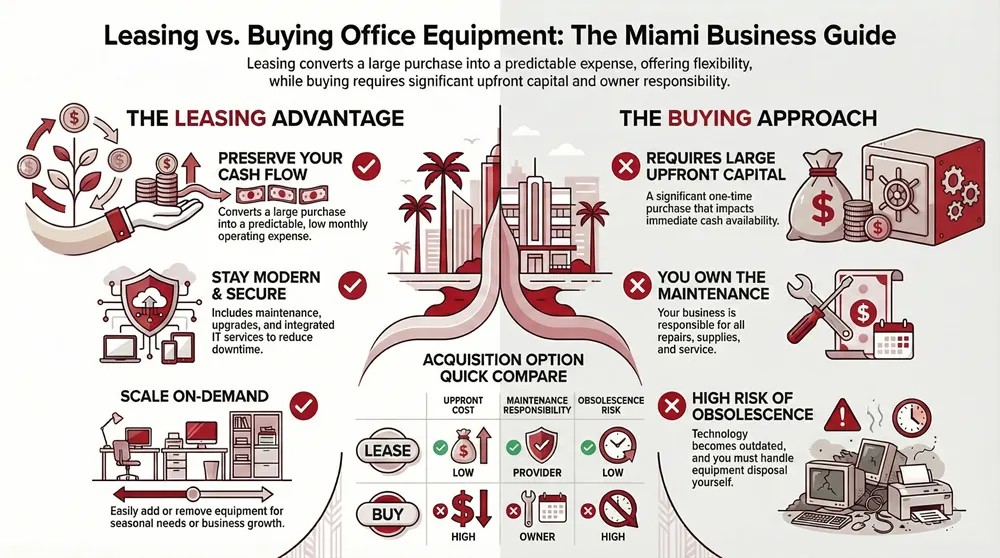
Flexible leasing converts a large capital purchase into predictable monthly payments so you can protect cash and invest in core operations. Leases often bundle maintenance, supplies, and support, which reduces unexpected repair costs and operational disruption. The main benefits are predictable budgeting, easier scaling for growth or seasonal demand, and access to modern multifunction devices without the worry of obsolescence. Those advantages are especially useful in Miami’s event-driven, seasonal economy. Understanding these benefits makes it easier to see how leasing improves cash flow and technology access for different local business types.
We help Miami business owners find the right managed cybersecurity, managed IT services, and office equipment for their operations.
Recognizing the practical benefits helps when choosing a vendor: prioritize partners with fast lead times, clear SLAs, and integrated IT security for networked printers to reduce risk and operational friction.
What are the key benefits of leasing office equipment in Miami?
Leasing delivers several concrete benefits for Miami organizations that need dependable printing without a big capital outlay. It preserves cash by replacing a one-time purchase with a predictable monthly line item, freeing funds for hiring, marketing, or inventory. Leasing also gives you scheduled refresh cycles so devices stay current and productivity doesn’t suffer from aging hardware. Bundled maintenance and supply delivery mean fewer service interruptions—critical for busy offices and event setups in Miami. When paired with managed print services, leasing reduces administrative overhead and keeps your team focused on core work.
That stability and upgrade path make it simple for growing companies and seasonal operations to scale device counts up or down as demand changes—next we’ll explain how leasing improves cash flow and access to technology.
How does leasing improve cash flow and technology access?
Leasing converts capital expenses into operating expenses, preserving liquidity for payroll, marketing, or inventory while giving you a predictable monthly cost. Many leases include upgrade or refresh clauses so you can receive newer equipment without handling disposal. From a technology standpoint, leasing gives immediate access to a range of multifunction options—color, B/W, and wide-format—sized to your monthly volume and feature needs. Accounting treatment differs between operating and capital leases, so check with your financial advisor about tax and GAAP implications; regardless, the everyday advantage is steadier costs and less obsolescence risk.
With that financial clarity in place, you can evaluate specific copier and printer options available locally and match device categories to your office volumes.
What copier and printer leasing options does Barlop offer in Miami?
Miami organizations can choose from lease programs that cover low-volume offices, high-volume print centers, and event-driven short-term needs. We commonly source Ricoh, Sharp, Epson, and Brother devices to span the range from compact desktop printers to large multifunction copiers. Lease programs typically include short-term rentals for events and flexible multi-year leases with maintenance and supplies built in, letting you tailor terms to usage and budget.
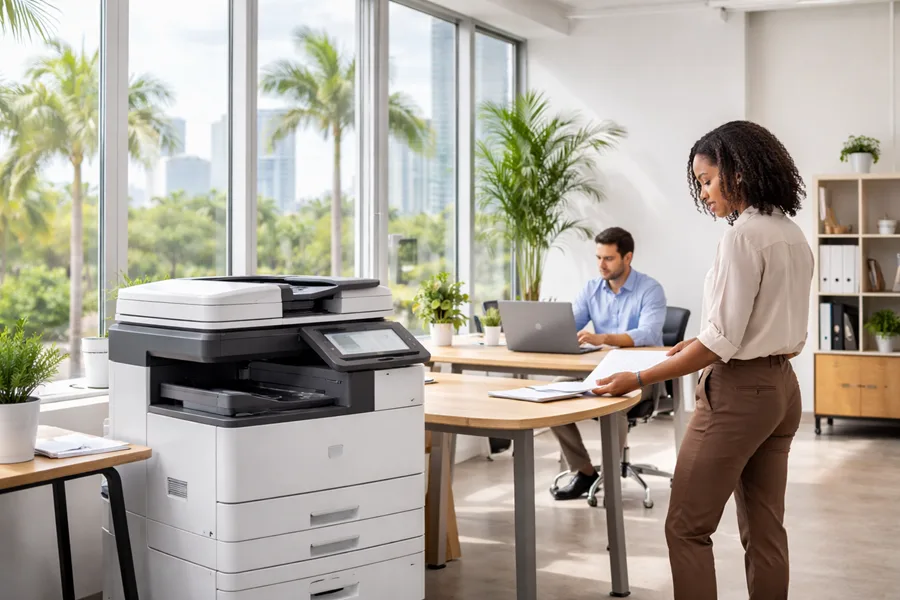
When deciding, consider recommended monthly volume, color versus black-and-white needs, and whether managed print services or onsite repair are included. That evaluation helps match a device to tasks—high-resolution color for marketing, high-volume B/W for back-office work, or compact printers for satellite offices. Below is a concise comparison of representative device categories and typical lease features to guide selection.
Devices and bundled services work best when paired with managed IT and cybersecurity to protect networked printers and maximize uptime.
Introductory comparison of typical leased copy/print devices and right-size guidance for Miami offices.
Bottom line: match device throughput and service tier to actual needs to avoid overpaying for unused capacity or risking downtime with undersized equipment.
Which copier models and brands are available for lease?
Barlop Office Systems sources established manufacturers—Ricoh, Sharp, Epson, and Brother—to cover a range of features and price points suitable for Miami businesses. Offerings include compact desktop printers, office MFPs, high-volume B/W copiers, and wide-format plotters for design and architecture firms. Choose models based on monthly volume and required features—color for marketing, duplex and finishing for administrative workflows, or large-format plotting for creative projects. Always confirm included maintenance SLAs and typical parts/service turnaround times so you have continuity during busy periods or events.
Picking the right brand and model leads naturally to deciding whether a short-term rental or a longer lease fits your timeline and usage intensity.
What are the terms for short-term and long-term printer rentals?
Short-term rentals cover events, temporary offices, or project bursts and typically include delivery, setup, supplies, and support for the rental window; lead times and availability are the key constraints. Long-term leases run multiple years and often include refresh or upgrade clauses, predictable monthly payments, and bundled maintenance to lower total cost of ownership. The table below compares common term types and where each performs best.
Pick the term that matches demand predictability—events and temporary needs suit short rentals, while steady operations benefit from multi-year leases with refresh options.
How does Barlop integrate managed IT and cybersecurity with equipment leasing?
Combining managed IT and managed cybersecurity with leased devices creates a unified technology stack where printers and copiers are treated like any other network endpoint. We provision devices securely on your network, apply device-level authentication, manage firmware centrally, and monitor fleet health to prevent failures. That approach reduces exposure from unsecured print queues, enforces centralized access policies, and streamlines incident response that includes print-related events. For Miami businesses, a single provider model cuts vendor coordination overhead and simplifies support across hardware and IT services.
We help business owners find the best managed cybersecurity, managed IT services, and office equipment to fit their needs.
Because printers often handle sensitive documents, combining managed print services with managed cybersecurity reduces leakage risk and ensures devices receive timely patches and monitoring as part of regular IT operations.
What managed IT services complement leased office equipment?
Complementary managed IT services include device provisioning and network configuration, remote and onsite support, cloud integrations (for example, M365 print workflows), and regular firmware and patch management. These services form a secure workflow: device → network policy → secure output release, which enforces user authentication and limits unauthorized access to printed material. Typical tasks include onboarding devices with unique network credentials, enabling secure print release for confidential prints, and integrating scan-to-cloud pipelines that follow corporate access controls. The practical result is fewer tickets, faster resolutions, and consistent compliance—especially important in regulated industries around Miami.
These managed IT capabilities naturally support managed print security controls, described next, to illustrate specific protective measures.
How do managed print services enhance security for leased devices?
Managed print services add security layers like secure release workflows, user authentication at the device, centralized patch management, and ongoing monitoring of device health and usage. Secure release prevents documents from sitting in trays, while authentication ties activity to user identities for audit and compliance. Firmware and patch management close known vulnerabilities on networked printers, and monitoring helps detect unusual usage patterns that could signal data exfiltration. Together, these controls treat printers as part of the corporate attack surface instead of isolated peripherals.
This security posture complements broader managed IT and cybersecurity strategies and clarifies responsibilities between leasing and owning when it comes to maintenance and risk.
What is the leasing process and flexible terms offered by Barlop in Miami?
Our leasing process follows a clear sequence: needs assessment, proposal, delivery and installation, training, and ongoing support, with short-term rentals and long-term leases that can include refresh clauses. The process starts with a consultation to define monthly volume, required features, and site constraints. From there we prepare a customized proposal with term length, monthly costs, and included services. Installation covers physical placement, network integration, and user training, and ongoing support includes scheduled maintenance, supplies delivery, and prioritized repairs. Below is a step-by-step outline optimized for “how” queries, followed by a comparison table of term types and attributes.
- Consultation and Needs Assessment: We review volume, feature needs, and site constraints.
- Proposal and Lease Negotiation: Define term, pricing, and included services.
- Delivery and Installation: Device placement, network integration, and testing.
- Training and Handover: User training and documentation for daily workflows.
- Ongoing Support and Refresh: Scheduled maintenance and upgrade options.
These steps set predictable milestones and clarify responsibilities, which simplifies the choice between short-term and standard leases.
Introductory comparison of lease term types and their practical attributes for decision-making.
Summary: Choose a term that balances budget predictability with flexibility for upgrades as your volumes change.
How does the leasing consultation and installation work?
A productive consultation starts with expected monthly volume, color vs. B/W mix, desired features (finishing, scanning, wide-format), and site logistics like power and network access. We perform a site survey when needed, verify environmental requirements, and propose placement and network topology to minimize disruption. Timelines from signed agreement to installation vary by device but are scheduled to fit operational windows and event timelines to avoid downtime. After installation we provide hands-on training and documentation, and we follow up to confirm the device is performing as expected.
That installation workflow informs how flexible leasing plans and rate structures are built to reflect your operational needs.
What flexible leasing plans and affordable rates are available?
Flexible plans include monthly subscriptions for short-term rentals, seasonal adjustments, and multi-year leases with refresh options. Pricing depends on monthly volume, color needs, finishing options, and service level. Example pricing bands help estimate budgets, but final quotes are customized to device configuration and service inclusions. Many providers bundle device lease, supplies, and managed print services into one package to simplify billing and cut administrative work. To get an accurate quote, prepare monthly page estimates, feature requirements, and preferred term length so providers can deliver comparable proposals.
A clear request for proposal speeds up accurate pricing and makes it simple to compare leasing versus buying.
How does leasing compare to buying office equipment for Miami businesses?
Leasing and buying mainly differ in cash-flow impact, maintenance responsibility, and obsolescence exposure. Leasing turns capital purchases into operating expenses and often includes maintenance, while buying requires upfront capital and leaves maintenance to the owner. Operationally, leasing can reduce downtime through bundled service, whereas buying may be cheaper over a very long lifecycle but raises obsolescence risk. The table below summarizes financial and operational differences and offers guidance for typical business profiles.
In short: leasing fits businesses that prioritize cash flow and predictable costs, while buying can suit very high-volume users prepared to manage maintenance.
What are the financial and operational differences between leasing and buying?
From a financial perspective, leasing preserves working capital and creates predictable monthly expenses that help forecasting, while buying requires a capital outlay and may have different balance-sheet treatment depending on accounting. Operationally, leases typically include service and supplies, easing the internal IT burden; purchased equipment puts maintenance and repair responsibility on the owner. Leasing lowers obsolescence risk with refresh options and gives periodic access to newer multifunction models without disposal headaches. Evaluate total cost of ownership across realistic device lifecycles and consult financial advisors for tax or accounting specifics.
These trade-offs help determine which acquisition path suits your business; the next section profiles typical winners for each option.
Which businesses benefit most from leasing versus purchasing?
- Startups / Fast-Growth SMBs: Leasing preserves cash and keeps options open as you scale.
- Seasonal Businesses / Event Organizers: Short-term rentals match temporary spikes in demand.
- High-Volume Print Centers: Buying may be cost-effective after careful TCO analysis.
- Professional Services / Regulated Firms: Lease with managed security to meet compliance and audit needs.
Summary: Choose the strategy that fits demand predictability, appetite for maintenance, and tolerance for obsolescence.
Where can Miami businesses find short-term office equipment rentals for events?
Local providers with rental inventories offer the fastest, most reliable event solutions in Miami and South Florida. They provide delivery, setup, and on-site support—important when lead times are tight during peak months. Typical rental setups include compact printers for registration desks, multifunction devices for handouts and on-site copying, and on-call support to handle volume spikes or supply needs. Request a rental quote that specifies device specs, delivery and pickup windows, and defined support levels to ensure event continuity.
Using a clear booking checklist reduces last-minute surprises and keeps event printing dependable.
What rental solutions does Barlop provide for temporary projects and conferences?
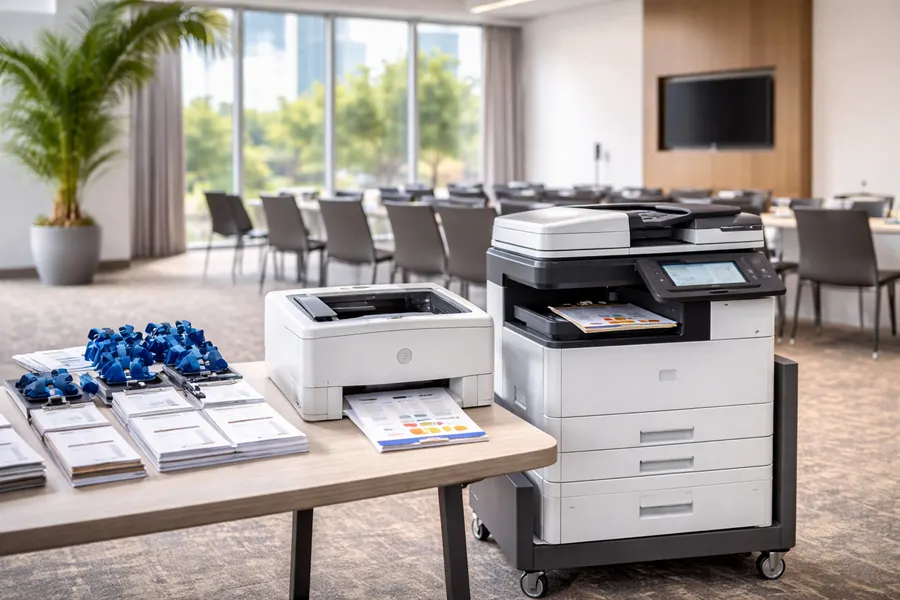
For temporary projects and conferences, providers supply short-term printers and copiers configured for registration desks, print-on-demand booths, or temporary satellite offices. Rentals usually include delivery, setup, and scheduled supply replenishment, plus monitoring options and technician coverage when guaranteed service levels are required. Device recommendations depend on expected throughput: compact thermal or laser printers for badges and labels, and multifunction color MFPs for handouts and collateral. Confirm lead times and staging details early so delivery aligns with event setup windows.
Our integrated model—combining managed IT and cybersecurity with equipment rental—can also support temporary network and security needs at events.
How to arrange flexible equipment rentals for Miami events?
Follow a five-step checklist to minimize risk and ensure the right equipment arrives on time and configured correctly. First, estimate daily print volumes and output types (badges, programs, handouts). Second, verify site power, network access, and share floor plans with the provider. Third, schedule delivery and pickup windows and confirm an on-site contact. Fourth, select your support level—remote monitoring or dedicated onsite technician—and confirm supplies included. Fifth, agree billing terms and contingency plans for failures or unexpected surges.
Booking checklist:
- Estimate volumes and output types.
- Verify power, network, and space.
- Schedule delivery and pickup windows.
- Specify on-site support level.
- Confirm contingency plans and billing details.
Following this checklist reduces risk and helps ensure predictable results for event printing.
We help business owners find the right managed cybersecurity, managed IT services, and office equipment for their needs.
Frequently Asked Questions
What factors should I consider when choosing a leasing provider in Miami?
Look for a provider with a solid local reputation, clear SLAs, and a broad equipment selection. Prioritize transparent pricing, fast response times, and comprehensive support including maintenance and supplies. Also assess their ability to integrate managed IT and cybersecurity services—this integration improves security and simplifies vendor management. Customer reviews and case studies are useful for gauging service reliability.
How can I ensure that my leased equipment meets my business needs?
Start with a thorough needs assessment: estimate monthly page volumes, identify document types you’ll produce, and list required features like color, finishing, or wide-format. Share those details with your provider so they can recommend properly sized devices and configurations. Also confirm lease flexibility so you can adjust terms as your needs change.
What are the common pitfalls to avoid when leasing office equipment?
Common mistakes include underestimating usage, which leads to overpaying, or selecting devices that don’t match operational workflows. Don’t skip reading the lease terms—hidden fees or restrictive clauses can be costly. Consider total cost of ownership, including supplies and service, and clarify cancellation and upgrade policies before signing.
How does leasing impact my business's tax situation?
Lease payments are often treated as operating expenses and may be deductible, which can lower taxable income. Exact tax treatment depends on lease type (operating vs. capital) and local regulations, so consult your tax advisor to understand implications for your business and accounting treatment.
What should I do if my leased equipment experiences technical issues?
Contact your leasing provider’s support team right away. Most leases include maintenance and repair, so providers can troubleshoot, dispatch technicians, or arrange a replacement if needed. Document the issue and any steps you’ve taken to help speed resolution. If problems continue, ask about escalation paths or temporary device swaps to limit downtime.
Can I upgrade my leased equipment during the lease term?
Many leases include upgrade options to replace or refresh equipment during the term—useful for growing teams or changing tech needs. Upgrade terms vary by provider, so confirm any costs, timing, and conditions before signing the agreement.
How can I prepare for the end of my lease term?
As the lease end approaches, review return procedures and renewal or upgrade options. Assess your current needs to decide whether to renew, upgrade, or purchase. Schedule a return inspection to avoid unexpected charges and plan the transition to minimize downtime.