Ricoh Copiers for Miami Offices — Leasing, Service & Managed Print Solutions
Ricoh business copiers deliver the performance and workflow features teams need — from crisp output to smart scanning and mobile printing. This piece walks through why leasing can make sense for Miami businesses, how to keep copiers running smoothly, and which IT integrations boost productivity. If you’re balancing budget pressures with the need for up-to-date equipment, leasing is a practical way to lower upfront costs while keeping technology current. Read on for leasing perks, maintenance best practices, and tips for finding trusted local Ricoh support.
Why Lease Ricoh Business Copiers in Miami?
Leasing Ricoh copiers is a common choice for Miami small and mid-sized businesses because it preserves cash and keeps equipment current. Leasing delivers a few clear operational advantages: predictable costs, upgrade flexibility, and fewer maintenance headaches — all of which help teams stay focused on their work, not their printers.
- Lower Upfront Costs: Leasing reduces the initial cash outlay compared with buying, freeing funds for other priorities.
- Easy Upgrades: Lease terms often include upgrade options so you can move to newer models as needs change.
- Fewer Maintenance Burdens: Many leases bundle service and support, cutting the time and expense of managing repairs.
For Miami operations, those benefits usually mean smoother workflows and fewer interruptions from equipment issues.
Academic research also shows leasing can improve operational efficiency and financial performance for companies that adopt it thoughtfully.
Study — Leasing’s Impact on Operations & Efficiency
Purpose: This analysis examines how leasing affects company operations and financial results, focusing on links between leasing, profitability, leverage, and operational efficiency.
Leasing: Impact Analysis on Business Operations and Company Financial Performance, 2023
How Leasing Boosts Office Productivity for Miami SMBs
With leased Ricoh copiers, teams get access to modern features—automated workflows, mobile print and scan, and reliable finishing—without a large capital outlay. Those capabilities cut manual steps, speed document handling, and free staff to work on higher-value tasks, which raises overall productivity.
Flexible Leasing Options from Barlop Business Systems
Barlop Business Systems offers leasing plans designed for Miami organizations of every size. Common choices include:
- Monthly Payment Plans: Selectable payment schedules that align with cash flow and budgeting needs.
- Short‑Term and Long‑Term Leases: Options for temporary projects or ongoing operations, so you only pay for what you need.
These options help you match equipment choices to business cycles and financial goals.
How to Keep Ricoh Multifunction Printers Running Smoothly
Regular upkeep keeps Ricoh MFPs reliable and extends their usable life. A proactive maintenance routine — routine inspections, timely consumable replacements, and software updates — prevents downtime and preserves print quality.
- Scheduled Servicing: Regular checkups catch small problems before they become big ones and keep performance consistent.
- Planned Maintenance Intervals: Set service frequency based on actual usage to optimize uptime and reduce unexpected repairs.
Following these steps helps Miami offices avoid disruptive breakdowns and maintain steady productivity.
Industry reviews also recommend structured maintenance programs to maximize equipment life and efficiency.
Efficient Maintenance Strategies — Key Takeaways
This review summarizes maintenance approaches so industry teams can choose or design more efficient, sustainable strategies for both single-component and multi-component equipment.
A review of sustainable maintenance strategies for single component and multicomponent equipment, 2022
Service Plans and Maintenance Schedules You Can Rely On
Barlop’s service packages are built to fit common business needs in Miami. Typical offerings include:
- Comprehensive Service Plans: Coverage for parts and labor to limit surprise expenses and keep devices working.
- Regularly Scheduled Maintenance: Planned onsite visits to perform preventive care and updates.
These plans are intended to give you predictable costs and reliable uptime so you can focus on running your business.
How Often Should Ricoh Copiers Be Serviced?
For predictable reliability, plan service every 3–6 months, with frequency based on print volume. Warning signs like frequent jams, faded output, or odd noises mean it’s time for a checkup. A proactive service cadence helps avoid emergency repairs and keeps teams productive.
Which IT Solutions Work Best with Ricoh Copiers?
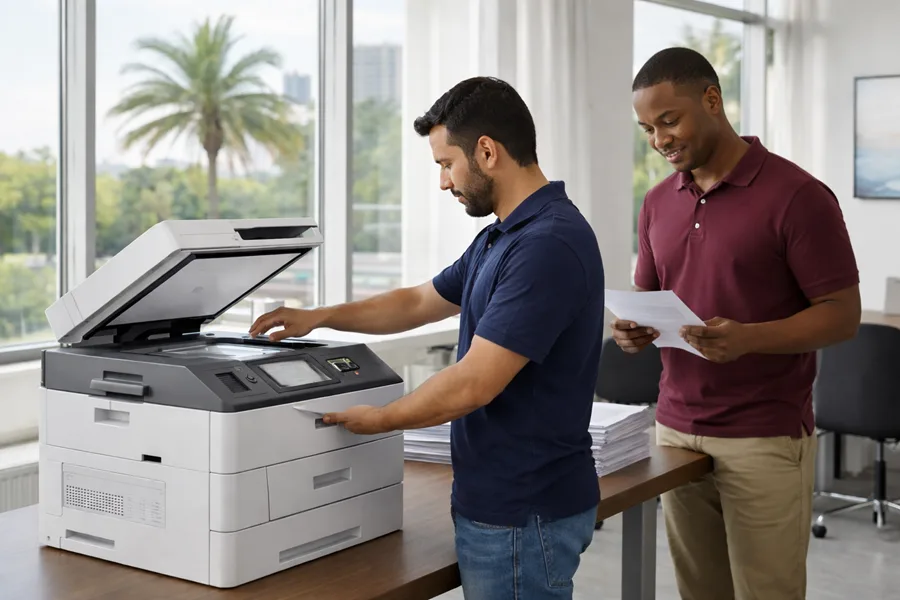
Integrating Ricoh copiers with your IT stack unlocks more value: scan-to-cloud, document management, and workflow automation make document handling faster and reduce manual tasks. These integrations help centralize files, improve retrieval, and support secure information sharing.
- Document Management Integration: Seamless scanning and storage make documents easy to find and share across teams.
- Workflow Automation: Automating repetitive processes cuts processing time and reduces human error.
When you pair copiers with the right IT tools, they become central hubs for smarter document workflows.
Research highlights that connecting document management systems to core business applications improves flexibility and operational efficiency.
Document Management Systems — Role in Workflow Optimization
Automation of workflows and full integration with business services highlight the importance of digital document management systems (DMS) for improving organizational flexibility, productivity, and adaptability. DMS serve as centralized repositories that streamline and automate business processes and, when integrated with ERP systems, provide a comprehensive solution for optimizing operations and strategic management.
Role of document management system for business processes optimization, I.V. Orlov, 2024
How Workflow Automation Improves Copier Capabilities
Workflow automation equips copiers to route documents automatically, enforce naming conventions, and archive files digitally. That speeds approvals, reduces manual handoffs, and lowers the chance of errors.
What Are Managed Print Services and Why Miami SMBs Use Them
Managed Print Services (MPS) give Miami SMBs a turnkey way to control printing costs and simplify device management. MPS typically includes usage monitoring, environment optimization, and ongoing support. The main benefits are:
- Lower Costs: Monitoring and analysis reveal where to cut waste and reduce spend.
- Centralized Management: One dashboard to manage devices, supplies, and service across locations.
With MPS, teams spend less time managing printers and more time on core priorities.
Where to Find Trusted Ricoh Leasing and Service in Miami
Choosing the right Ricoh provider matters. Look for local partners who combine product knowledge with fast, responsive service and solid customer references. The right vendor will tailor solutions to your workflows and budget.
- Check Provider Track Record: Prefer companies with proven experience in Ricoh solutions and a history of serving local businesses.
- Read Customer Feedback: Reviews and testimonials reveal responsiveness, reliability, and quality of support.
Do your research to find a partner who will keep your print environment efficient and secure.
Why Barlop Business Systems for Ricoh Copier Solutions?
Barlop Business Systems is a South Florida provider focused on practical, customer-centered copier and print solutions. Our team pairs local service with tailored leasing and MPS options so Miami businesses get the right mix of technology, support, and predictable costs.
What Customers Say About Our Service
Clients consistently praise Barlop for fast response times, knowledgeable technicians, and personalized attention. Those testimonials reflect our commitment to making leasing, maintenance, and managed services easy and dependable for busy Miami offices.