Expert Support to Keep Your Business Productive
Ricoh copier repair and service in Miami‑Dade is a practical guide for business owners who need reliable, fast fixes that keep offices running. This page walks through how common Ricoh faults appear, simple triage steps, and why a factory‑certified approach lowers downtime and total cost of ownership across Miami‑Dade. You’ll get hands‑on troubleshooting tips, clear explanations of frequent error codes, preventive maintenance recommendations, and the emergency on‑site options that protect both workflows and data.
We also outline maintenance plan choices and explain parts and repair workflows so decision makers can compare preventive maintenance, full‑service SLAs, and pay‑per‑visit options. Early on we introduce Barlop Office Systems as a local technology partner with factory‑certified Ricoh technicians and integrated IT support, and then return to technical guidance for Ricoh IM C and MP C series MFDs. By the end you’ll have a prioritized checklist for handling copy/print failures and the context to choose a local service plan that balances uptime, cost, and security.
Ricoh Copier Repair Miami-Dade: Common Issues Businesses Face
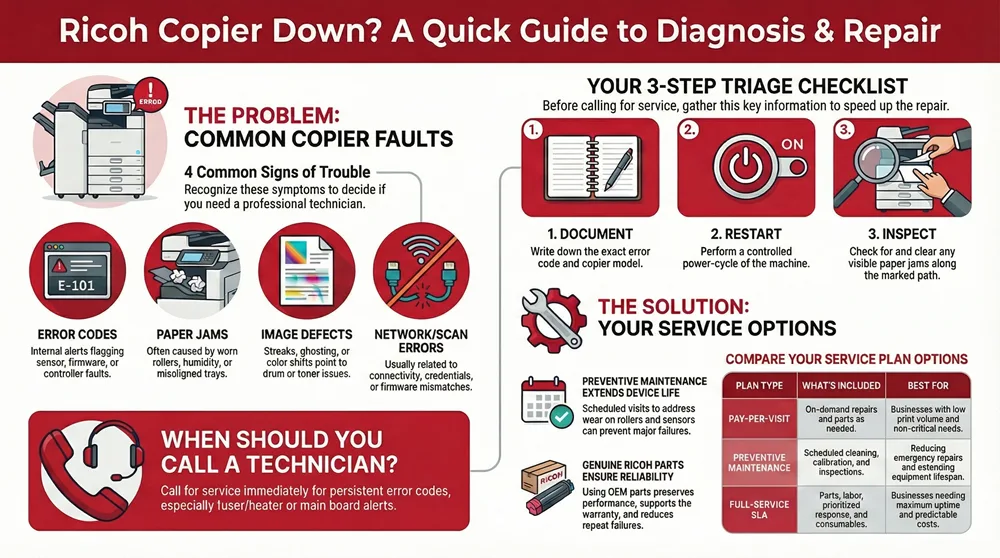
Ricoh copiers and multifunction devices show a predictable range of problems — from simple consumable issues to component failures that affect image quality, paper feeding, and networked functions. Recognizing the symptom helps decide whether staff can resolve it quickly or if a technician should be called to prevent lost productivity. Typical categories include error codes that flag internal faults, frequent paper jams caused by worn feed parts, image quality problems related to drums or toner, and network or scanner errors that disrupt distributed workflows. Early triage keeps operations moving and lowers the risk of a minor issue turning into an expensive repair.
Common problem types and what they usually mean:
- Error codes: Alerts from sensors or controllers that need a diagnostic path.
- Paper jams and feed problems: Often caused by worn rollers, humidity, or misaligned trays.
- Image defects: Streaks, ghosting, or color shifts linked to drum, fuser, or toner problems.
- Network/scan errors: Connectivity, authentication, or driver/firmware mismatches.
How to use the quick diagnostic table: the table below helps non‑technical staff match symptoms to likely causes and safe immediate actions before scheduling service.
Use this table as a short checklist to decide whether to apply a safe, immediate fix or escalate to professional service. Collecting these details up front speeds repair and limits downtime.
Which Ricoh Copier Error Codes Indicate Repair Needs?
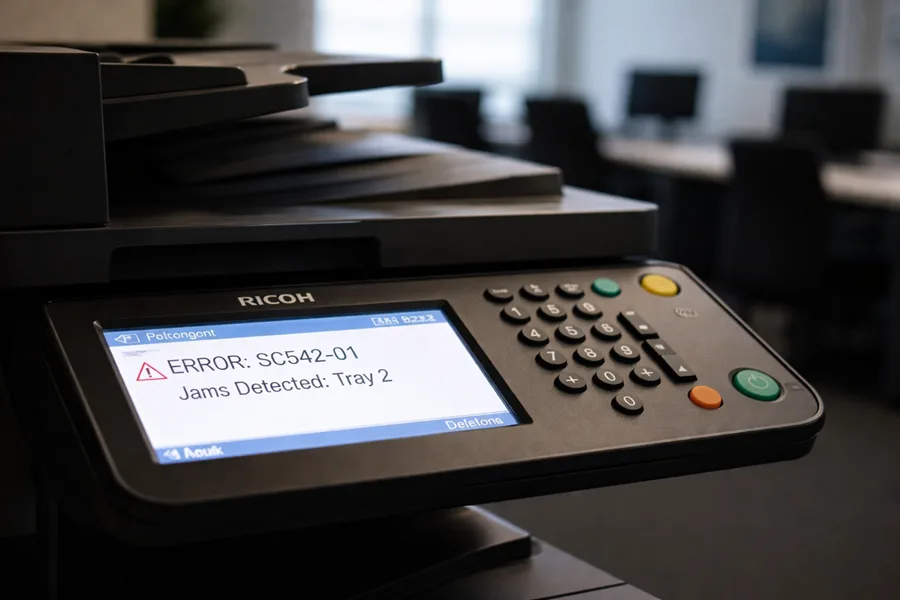
Ricoh error codes are concise signals that point to a device’s monitored condition. Some codes reflect user‑serviceable issues; others point to controllers, boards, or sensors that need a certified technician. Start by recording the exact code and device model, try a controlled restart, and clear any visible jams or obstructions. If the code remains after a power cycle and basic checks, it usually indicates a hardware or firmware issue that requires factory tools or OEM parts to resolve safely.
When to call a technician: persistent controller errors, repeated fuser/heater codes, or codes tied to sensors or main boards need prompt professional attention to avoid collateral damage. To speed repairs, note the exact model — common Ricoh families in offices include IM C and MP C series — and gather the sequence of events that led to the error. That discipline helps technicians find the root cause faster and reduces mean time to repair.
How Do Paper Jams and Hardware Failures Affect Copier Performance?
Paper jams and component failures lower throughput, raise mean time to repair, and reduce staff productivity when critical documents are delayed. Feed assemblies, sensors, and rollers wear with use, and factors like humidity or poor paper quality make problems more likely; left unchecked, these faults can cascade into bigger failures. Safe user actions include following the manufacturer’s jam‑clearing steps, removing paper along the marked path, and avoiding forceful pulls that could damage guides or sensors.
If jams repeat or you hear unusual noises, see sensor errors, or experience persistent misfeeds after clearing, schedule a technician to inspect rollers, align the paper path, and replace worn parts. Fixing wear early preserves print quality, prevents recurring errors, and keeps business workflows steady.
How Does Barlop Provide Certified Ricoh Copier Repair Services in Miami?
Barlop Office Systems is a Miami/Fort Lauderdale technology partner that provides repair, maintenance, and leasing for Ricoh copiers and printers through factory‑certified technicians. Our model pairs remote‑first triage with staged on‑site parts to reduce repeat visits and we coordinate IT support for networked MFDs. The goal is to minimize downtime, protect data on multifunction devices, and offer a single contact for both device and network issues while using genuine parts for replacements.
Service workflow summarized:
- Initial contact and remote diagnosis: We gather the device model, error code, and event history to narrow the issue.
- Staged parts and scheduling: When possible, we pre‑stage common parts to shorten on‑site time.
- On‑site repair and verification: Factory‑certified technicians complete repairs, test the device, and recommend preventive steps.
The table below outlines service components, technician qualifications, and the benefits to business continuity.
What Qualifications Do Our Certified Ricoh Technicians Hold?
Our factory‑certified Ricoh technicians complete targeted training on Ricoh controllers, fuser assemblies, and network integration for multifunction devices. They handle firmware diagnostics, parts replacement, and preventive maintenance tasks such as calibration and cleaning that preserve image quality. Experience with Ricoh IM C and MP C series means they recognize model‑specific failure modes and apply OEM‑recommended fixes that protect warranty and long‑term reliability.
Quick credential checklist for buyers: confirm factory certification, ask about experience with your exact Ricoh model family, and verify capability to troubleshoot networked scanning and authentication. Clear documentation of qualifications builds trust and helps align repair decisions with device lifecycle best practices.
How Does Our Rapid On‑Site Repair Process Minimize Downtime?
Rapid on‑site repair starts with remote diagnostics to narrow root‑cause options before we dispatch a technician. Combined with parts staging, this approach lets technicians arrive with likely replacements and finish repairs in fewer visits. Local inventory coordination and prioritized scheduling for mission‑critical devices speed recovery during peak business hours.
The result for clients is predictable: faster resolution, fewer service interruptions, and a clear escalation path for complex repairs. A single point of contact for IT and device support also simplifies communication and aligns repairs with your broader managed IT priorities.
What Ricoh Copier Maintenance Plans Are Available in Miami‑Dade?
Maintenance plans for Ricoh devices span basic preventive visits to full‑service managed print contracts (MPS) that can include parts, labor, and consumables under agreed SLAs. The right tier depends on uptime needs, print volume, and budget. Preventive maintenance lowers component failure rates, while full‑service SLAs transfer most maintenance risk to the provider. Comparing plans by response time, consumable coverage, and included network/security support helps businesses choose the right fit.
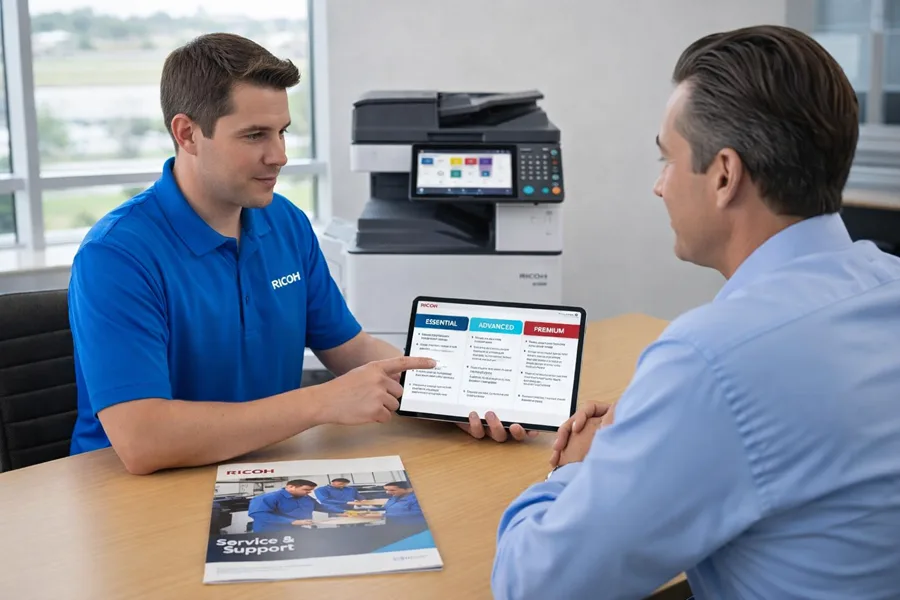
Compare common plan tiers in this quick‑reference table to match operational needs and budget priorities.
How Do Preventive Maintenance Plans Extend Ricoh Copier Lifespan?
Preventive maintenance extends device life by addressing wear points — feed rollers, fuser units, and optical sensors — before they fail. Routine tasks include cleaning, roller conditioning, firmware updates, and calibration to maintain output quality and prevent misfeeds and recurring error codes. Early detection of component fatigue lets you plan replacements at lower cost than emergency repairs and cuts cumulative downtime.
Companies that schedule regular preventive visits typically see fewer emergency callouts and a better total cost of ownership over the device’s life. Aligning maintenance with actual usage gives you a predictable budget and smoother operations.
What Genuine Ricoh Parts Are Used in Maintenance and Repairs?
We specify genuine Ricoh parts — fuser units, drum units, feed rollers, controller boards, and scanner assemblies — to ensure correct fit, reliability, and compliance with manufacturer tolerances. OEM components preserve performance, support warranty handling, and reduce repeat failures that can occur with ill‑fitting third‑party parts. Local availability of genuine parts affects repair timelines; a provider that stages common parts locally will typically restore devices faster.
Choosing OEM parts balances initial cost against long‑term reliability. For business‑critical devices, the durability and warranty alignment of genuine Ricoh components usually offset the upfront price and support sustained productivity.
How Can Businesses Benefit from Emergency Ricoh Copier Repair in Miami?
Emergency Ricoh copier repair reduces downtime during mission‑critical periods, protects data on multifunction devices, and prevents revenue‑impacting delays in document‑dependent processes. Quick response helps teams meet deadlines, preserve client deliverables, and avoid bottlenecks in administrative and billing workflows. Emergency service often includes interim mitigation — redirecting jobs or setting up temporary devices — so operations can continue while the main unit is repaired.
Emergency repair benefits include faster recovery, minimized productivity loss, and lower operational risk for time‑sensitive tasks. Organizations with peak cycles or legal/finance functions often prioritize emergency response in their support agreements to maintain continuity.
Typical emergency scenarios and immediate mitigation steps you can apply before a technician arrives:
- Complete device failure during peak work: Pause non‑essential jobs and redirect urgent prints to a backup machine.
- Repeated error codes blocking all jobs: Record the error sequence, cancel queued jobs, and preserve logs for the technician.
- Fuser or power faults before a deadline: Move critical jobs to a secondary device and contact service for immediate triage.
What Are the Typical Emergency Repair Scenarios for Ricoh Copiers?
Common emergency scenarios include sudden controller failures that stop all printing, fuser or heater faults that prevent heat‑fused output, and repeated sensor or power errors that make a device unreliable at critical times. Each case has short‑term mitigations — job redirection, temporary workstation adjustments, or reboot‑and‑hold procedures — that reduce immediate impact. Documenting the exact error behavior and job context before the technician arrives speeds diagnosis and ensures the right parts are ready.
Escalation criteria include repeated failures after reboot, errors affecting multiple functions, or any fault that prevents producing legally or operationally critical documents. Preparing this information enables a faster, more effective emergency response.
How Quickly Can Barlop Respond to Urgent Ricoh Repair Requests?
Response times vary by local technician availability, parts staging, and remote triage effectiveness. Our remote‑first process narrows likely causes and readies parts before dispatch to shorten total repair time. Barlop Office Systems focuses on minimizing downtime through staged parts, factory‑certified technicians, and integrated IT support that handles device and network issues together. Working with a single provider speeds coordination when repairs require both hardware fixes and network/security adjustments.
Factors that affect response include part availability, device location in Miami‑Dade, and issue severity. Providing exact error codes and usage context during your initial call improves the accuracy of estimated response windows.
Why Choose Barlop for Ricoh Copier Repair & Service in Miami‑Dade?
Barlop Office Systems supports Miami/Fort Lauderdale businesses with a blend of office equipment expertise and managed IT services designed to reduce downtime and keep workflows secure. We deliver factory‑certified Ricoh technician support, reliable network assistance, and a single point of contact for IT and device service — simplifying vendor management and speeding resolution. Our solutions focus on cost‑effective uptime that aligns device reliability with your broader managed services.
Key takeaways and next steps:
- Local presence: Service tailored for Miami‑Dade and nearby South Florida businesses.
- Certified technicians: Factory‑trained on Ricoh MFDs, experienced with IM C and MP C series.
- Integrated support: One contact for device and network‑level IT issues.
What Areas in Miami‑Dade Does Barlop Serve for Ricoh Repairs?
Barlop Office Systems serves businesses across Miami‑Dade and the surrounding South Florida region, with coverage organized to prioritize local response and staged parts availability for timely on‑site repairs. For specific service boundaries or to confirm coverage at a particular address, contact us to review travel policies and any edge‑of‑area fees.
Clear service area information helps you plan SLAs and emergency expectations so response times and logistics are transparent.
What Do Customers Say About Our Ricoh Copier Repair Expertise?
Verified customer feedback and case summaries emphasize measurable outcomes: reduced downtime, faster mean time to repair, and higher device uptime after preventive maintenance or SLA adoption. Case studies often note fewer emergency calls after switching to scheduled maintenance and quicker recoveries when staged parts and certified technicians were available. Prospective clients should review testimonials and local case profiles to confirm real‑world results and align procurement decisions with operational goals.
Focusing on measurable results — fewer interruptions, improved print quality, and predictable maintenance budgets — helps buying teams compare certified Ricoh service with ad‑hoc repair options.
Frequently Asked Questions
What should I do if my Ricoh copier displays an error code?
First, write down the exact error code and the copier model. Try a controlled restart and check for visible obstructions. If the code persists, it usually signals a hardware or firmware issue that needs a technician. Document the error sequence and any recent events to help the technician diagnose the problem faster when you call for service.
How can I prevent paper jams in my Ricoh copier?
Use the paper types Ricoh recommends, keep trays aligned and free of debris, and store paper in a dry, climate‑controlled area to avoid humidity problems. Regularly clean feed rollers and inspect them for wear. If jams continue, arrange roller replacement to restore reliable feeding and reduce downtime.
A full‑service SLA covers parts, labor, and optional consumables under agreed response times, reducing unexpected repair costs and ensuring regular maintenance. This improves device lifespan and performance and lets your team focus on core work while the provider handles copier upkeep.
How often should I schedule preventive maintenance for my Ricoh copier?
Schedule preventive maintenance every 3 to 6 months depending on usage and model. High‑volume environments may need more frequent visits. Regular maintenance catches wear early, maintains print quality, and reduces emergency repairs. Consult your service provider to set the best cadence for your usage patterns.
What should I consider when choosing a Ricoh copier repair service?
Look for factory certification, experience with your specific Ricoh model, fast response times, and access to genuine parts. Check whether the provider offers integrated IT support for networked devices and review customer testimonials to verify reliability and service quality.
Can I perform basic troubleshooting on my Ricoh copier?
Yes. Basic steps include checking for paper jams, confirming the correct paper type, verifying connections, and restarting the device to clear temporary errors. For persistent issues or error codes suggesting hardware faults, contact a certified technician to avoid further damage.
What is the typical turnaround time for Ricoh copier repairs?
Turnaround varies by issue complexity, part availability, and technician schedules. Minor repairs are often completed in a few hours; more complex work can take longer if parts must be ordered. Providers like Barlop minimize downtime by staging common parts and using remote diagnostics to accelerate repairs. Check with your service provider for specific timelines based on your situation.