Business Printer Sales & Service in Coral Gables: Practical, Reliable Solutions
If your Coral Gables business needs dependable printer sales, flexible leasing, or fast copier repair, this guide lays out the local options and decision points. You’ll find straightforward advice on which printers and multifunction devices fit common office workflows, how managed print services cut costs and downtime, and how to weigh lease versus purchase. We focus on practical comparisons and clear criteria Coral Gables organizations use when choosing equipment, supplies, and support. You’ll also see where local repair and service belong in continuity planning, and how secure-print workflows tie into broader managed IT. Read on for vendor-class recommendations, concise EAV-style comparisons, and step-by-step tips to optimize printing for small teams, legal practices, creative studios, and high-volume offices in Coral Gables.
What Business Printer Solutions Does Barlop Offer in Coral Gables?
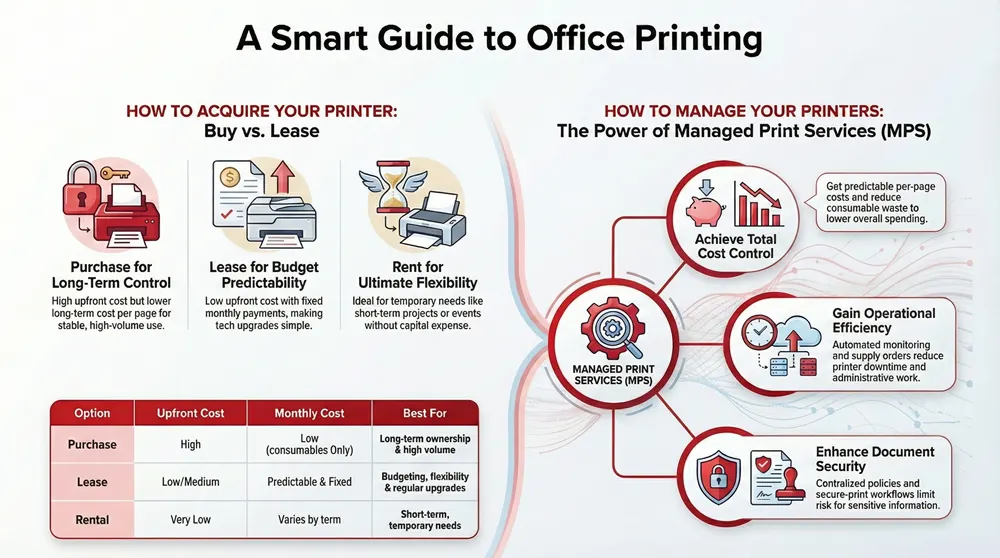
Barlop provides a range of equipment and service models to match different volumes, color needs, and document workflows in Coral Gables offices. Options include outright purchase for long-term ownership, fixed-term leasing for predictable budgeting and refresh cycles, short-term rentals for events or project spikes, and repair and maintenance to reduce downtime. Each choice supports a distinct operational goal—buy for long-term cost efficiency at high volume, lease for budget predictability and easier upgrades, and rent for temporary capacity. Understanding how each model aligns with your print volume and workflow makes procurement and document management decisions simpler.
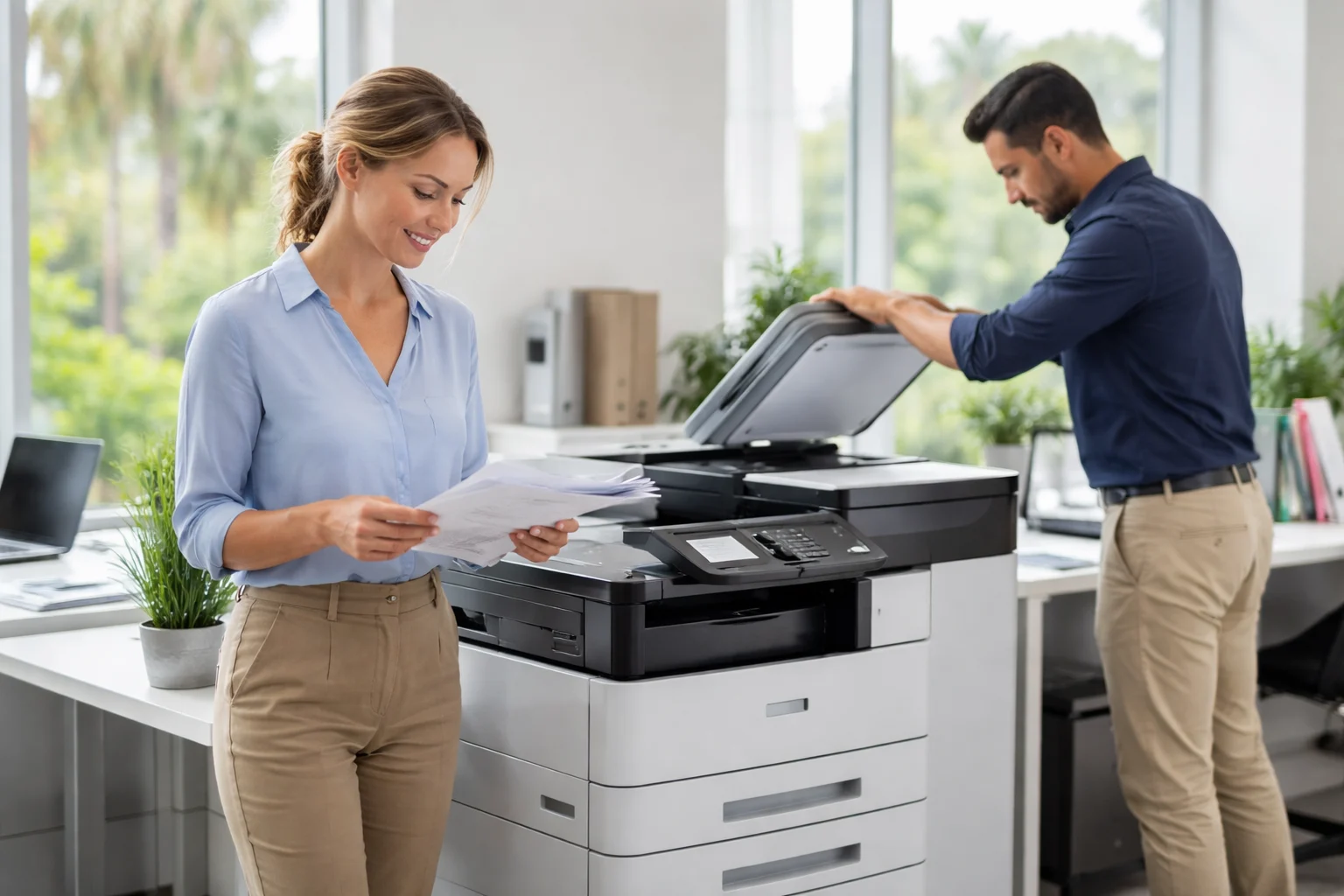
Serving Miami/Fort Lauderdale and extending into Coral Gables, Barlop Office Systems offers sales, leasing, rental, and repair for MFDs, office printers, and wide-format plotters. As an authorized dealer for Ricoh, Sharp, Epson, and Brother, we act as a single point of contact when you want equipment paired with managed IT and cybersecurity. Need a local quote or onsite assessment? Our regional service model handles quoting, scheduling, and vendor consolidation to streamline procurement and support.
Primary business printer solutions available to Coral Gables offices include:
- Sales: Buy office printers and multifunction devices for long-term ownership and lower per-page cost at high volumes.
- Leasing: Fixed-term leases that deliver predictable monthly expenses and easier upgrades at term end.
- Rental: Short-term rentals for events or temporary projects without capital expense.
- Repair & Maintenance: On-site service, parts replacement, and preventative care to keep fleets running.
- Managed Print Services (MPS): Centralized monitoring, supplies management, and reporting to simplify operations.
These categories frame the procurement decision; the next section highlights the brands and representative models commonly used by Coral Gables businesses.
Which Printer Brands and Models Are Available for Coral Gables Businesses?
Local authorized brands include Epson, Ricoh, Sharp, and Brother—each with strengths across speed, color quality, and multifunction workflows. Epson’s WorkForce Pro line delivers efficient ink-based color and low energy use, ideal for color-focused offices. Ricoh’s MFDs scale for heavy printing and advanced scanning workflows, suited to centralized document management. Brother and Sharp offer reliable laser performance for small-to-medium teams and straightforward network integration. These differences help you match device features to business priorities and document processes.
Below is a compact comparison of representative Epson and Ricoh models to help with quick selection.
This quick snapshot highlights the attributes that matter when comparing models. The next subsection explains how purchase, lease, and rental terms map to business scenarios.
What Are the Sales, Leasing, and Rental Options for Office Printers?
Sales, leasing, and rental vary by upfront cost, ongoing obligations, and flexibility—so each suits different business situations. Buying requires a larger initial outlay but often yields lower long-term cost per page for steady, high-volume use. Leasing treats printers as operating expenses with predictable monthly payments and scheduled refresh options. Rentals provide maximum flexibility for short-term spikes, events, or temporary projects without tying up capital. The right choice depends on cash flow, upgrade preferences, and expected device lifetime.
Use this quick purchase vs. lease vs. rental comparison to guide the decision.
Start by assessing monthly page volumes, upgrade timelines, and how much administrative overhead you want to manage. For Coral Gables businesses seeking tailored proposals, regional providers can model lease scenarios and rental quotes that match your expected usage.
How Can Managed Print Services Optimize Your Coral Gables Office Printing?
Managed Print Services (MPS) simplify device management by centralizing monitoring, supplies replenishment, and maintenance—reducing total printing cost and improving uptime. MPS instruments printers with remote monitoring that reports consumable levels and error states, triggering automated supply orders and proactive service. The result is fewer service interruptions, lower emergency repair spend, and clearer per-page cost visibility. MPS also often reveals consolidation opportunities that reduce device count, lower fleet cost, and tighten document security and workflow efficiency.
- Cost Control: Predictable per-page costs and less consumable waste lower overall spend.
- Operational Efficiency: Automated monitoring and consolidated reporting reduce downtime and admin work.
- Security & Compliance: Centralized policies and secure-print workflows limit information risk for sensitive documents.
Here’s an EAV-style mapping of core MPS features to operational impact and typical value.
Delivery matters. Barlop Office Systems pairs MPS with managed IT and cybersecurity so print workflows are monitored and secured as part of your overall IT plan. That means device security, firmware management, and network segmentation for print services align with broader policies—lowering the attack surface while keeping supplies and monitoring reliable.
Where Can Coral Gables Businesses Get Expert Copier and Printer Repair?
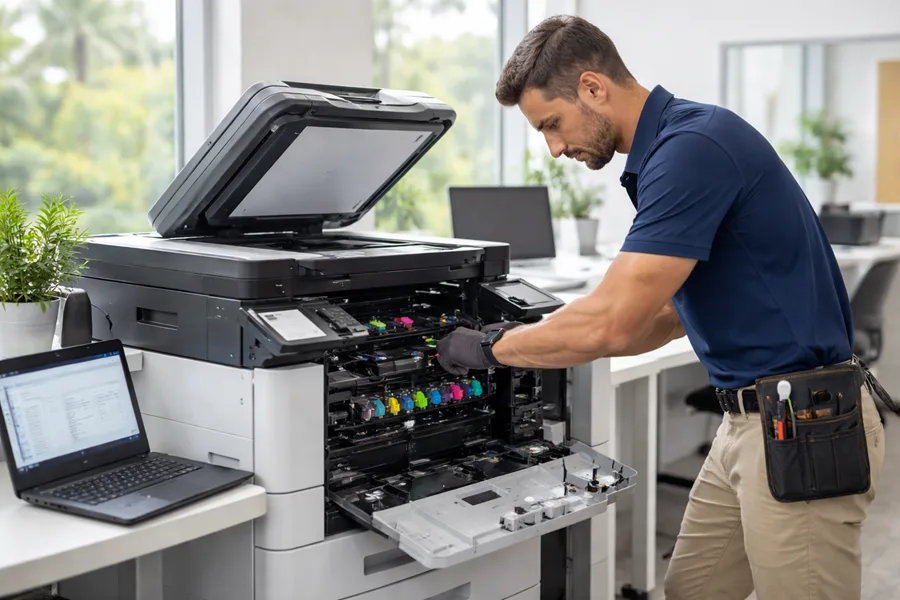
Local repair services cover diagnostics, parts replacement, on-site repair, and network troubleshooting to restore printing capacity quickly and reliably. Good repair work starts with accurate fault diagnosis, targeted parts replacement or adjustments, and final verification testing so devices rejoin the fleet without recurring faults. Choosing a repair partner that supports major brands and ties into fleet management minimizes admin overhead and shortens repair cycles—keeping your operation running and avoiding costly downtime.
Barlop’s regional service offering includes certified technicians for authorized brands and options for scheduling on-site repair and maintenance. With local presence across Miami/Fort Lauderdale, including Coral Gables, we dispatch technicians experienced with MFDs, printers, and wide-format plotters; this local focus helps coordinate repairs and align them with managed print programs. When you request service, have the device model, serial number, and a brief fault description ready to speed triage and scheduling.
The next subsections outline technician qualifications and what to expect when requesting emergency repair.
What Are the Qualifications of Barlop’s Certified Printer Technicians?
Technicians who service business printers for authorized brands complete product-specific training and dealer certifications that let them perform reliable diagnostics and parts replacement on MFDs, lasers, and ink devices. Authorized-dealer status with Ricoh, Epson, Sharp, and Brother means technicians are trained on brand firmware, maintenance procedures, and approved replacement components—supporting warranty-aligned repairs. Local techs also know common network integration issues, including print server configuration and secure-print setup, which shortens resolution times and reduces the risk of repeat problems.
Knowing technicians are certified and brand-authorized helps you prioritize providers who can both repair equipment and advise on lifecycle decisions. That background naturally leads into how quickly emergency repair can be scheduled and what speeds response.
How Quickly Can Emergency Printer Repair Services Be Scheduled?
Emergency repair timelines depend on local technician availability, fault severity, and whether a service agreement exists to prioritize response. To speed service, document device details, error messages, and the operational impact before calling so the repair partner can triage and dispatch the right resources. Regional providers typically offer faster dispatch than distant vendors, and companies that combine repair with MPS can schedule visits proactively from monitored alerts rather than waiting for a call. Clear issue descriptions and an existing service agreement streamline triage and reduce time to repair.
When preparing an emergency request, include the device model and error codes to help with diagnostics; having a managed print agreement or maintenance add-on can also prioritize dispatch and cut administrative delays.
Why Choose Barlop for Business Printer Sales and Service in Coral Gables?
Choosing a provider for printer sales and service comes down to trust, authorized brand support, and the ability to consolidate IT and office equipment under one relationship. Barlop serves as a single point of contact by combining equipment sales and financing with managed IT and cybersecurity—simplifying vendor management and clarifying accountability. Our authorized dealer ties to Ricoh, Sharp, Epson, and Brother give direct access to certified parts and brand-specific service knowledge, supporting both sales and repair workflows. That integrated approach reduces procurement complexity and aligns device security with broader IT policy.
Barlop’s differentiators include vendor consolidation, proactive maintenance, and integrated managed IT/cybersecurity to protect document workflows. For local decision-makers, our core benefits are:
- Single point of contact: Streamlines procurement, service, and IT coordination.
- Authorized dealer relationships: Ensures access to brand training, parts, and firmware support.
- Integrated managed services: Brings printing, network security, and IT operations under one plan.
These advantages help Coral Gables offices centralize equipment strategy and reduce administrative overhead. The next subsection explains how integrated cybersecurity protects printing environments.
What Unique Value Propositions Does Barlop Offer Local Businesses?
Barlop aims to be the single access point for office equipment and managed IT, reducing vendor complexity and administrative friction. Our authorized-dealer status with leading manufacturers supports reliable sales and repair backed by proper parts and training. By combining equipment sales with managed IT and cybersecurity, we fold print infrastructure into broader IT policies and monitoring—improving device lifecycle management and reducing risk. Together, these capabilities deliver predictable costs, faster repairs, and clearer accountability for document workflows.
This alignment is especially important when you consider how cybersecurity complements everyday printing operations, which we cover next.
How Do Integrated Cybersecurity Services Protect Your Office Printing Environment?
Integrated cybersecurity safeguards printers and multifunction devices through network segmentation, firmware management, access controls, and secure-print release policies that prevent unauthorized access to sensitive documents. Segmentation limits lateral movement if a device is compromised, and managed patching addresses vulnerabilities before they can be exploited. Secure-print release and user authentication keep confidential output from being left unattended. As part of a managed IT program, monitoring and incident response reduce risk by flagging anomalous device behavior and coordinating remediation quickly.
Combining managed print with managed IT and cybersecurity gives coordinated policies that protect document workflows, align device updates with maintenance windows, and provide a single incident response path for print-environment security issues.
What Are the Benefits of Leasing vs. Buying Office Printers in Coral Gables?
Leasing and buying offer different financial and operational trade-offs affecting budgets, upgrade flexibility, and total cost of ownership. Leasing lowers initial outlay and provides predictable monthly costs—useful for growing firms or those expecting tech refreshes. Purchasing can be more economical over a longer ownership period for high-volume fleets because there are no recurring lease payments and devices can be used beyond lease terms. Evaluating expected page volumes, upgrade cycles, and available capital will point to the best route for each office.
To clarify trade-offs, review this EAV-style comparison of purchase and lease attributes for typical Coral Gables scenarios.
After comparing options, practical examples and a simple breakeven analysis help managers decide which approach best fits budget and growth plans.
How Do Flexible Lease Terms Support Business Growth and Budgeting?
Flexible lease terms support growth by letting offices scale device counts and include maintenance and consumables in monthly payments—turning unpredictable capital expenses into steady operating costs. Leases often include end-of-term options such as upgrades or purchase, giving organizations room to adapt without a large replacement spend. For startups or fast-changing teams, scheduled refreshes reduce obsolescence and keep hardware aligned with current workflows. Including maintenance and supply management in lease terms also simplifies budgeting and cuts downtime risk through proactive service.
Model expected page volumes and realistic upgrade cycles to see whether lease flexibility outweighs potential long-term savings from purchasing.
When Is Purchasing a Printer More Cost-Effective for Your Business?
Buying is typically more cost-effective when monthly print volume is consistently high and you plan to keep devices long enough to amortize the upfront investment. Ownership eliminates lease payments and can lower per-page costs over time, especially for stable workflows. Buyers must still budget for maintenance, consumables, and eventual replacement; a breakeven analysis comparing TCO versus lease payments over 3–5 years will clarify which path saves money.
Forecast volume accurately and include maintenance expectations to align procurement with operational needs.
Which Epson and Ricoh Business Printers Are Best Suited for Coral Gables Offices?
Choosing between Epson and Ricoh comes down to color fidelity, operating cost, duty cycle, and workflow integration. Epson WorkForce Pro fits teams that prioritize color quality, energy efficiency, and ink-based economics for mixed workloads. Ricoh MFDs are built for high-volume or centralized environments where scanning, workflow automation, and robust duty cycles are essential. Match the printer class to your office profile—small team, legal practice, creative studio, or production department—to ensure device longevity, consumable costs, and workflow features align with daily needs.
Use the table below for a model-level EAV comparison to quickly evaluate representative Epson and Ricoh offerings.
With device classes clear, the next subsections explain why Epson’s WorkForce Pro suits certain local needs and how Ricoh MFDs boost productivity for busier offices.
What Features Make Epson WorkForce Pro Series Ideal for Local Businesses?
Epson WorkForce Pro printers use PrecisionCore printheads and efficient ink systems to deliver strong color quality, low power consumption, and competitive speeds for small and mid-size offices. PrecisionCore produces sharp text and vivid graphics—good for proposals, client-facing materials, and creative collateral—without some of the higher energy and toner costs of comparable lasers. Ink-based designs also reduce idle power use, translating to energy savings across operations. For Coral Gables teams that value color fidelity and efficiency, the WorkForce Pro line balances print quality with predictable operating costs.
Next we cover Ricoh’s strengths for higher-volume environments.
How Do Ricoh Multifunction Devices Enhance Office Productivity?
Ricoh MFDs raise productivity through high duty cycles, robust scanning, and workflow automation that cut manual document handling and speed digital document management. Advanced scanning—searchable OCR and direct routing to document systems—streamlines legal, healthcare, and administrative processes that need reliable archiving and retrieval. Ricoh’s focus on reliability and scalable performance makes their MFDs well-suited to centralized print environments where uptime and throughput are critical. Integrating Ricoh devices with managed IT and document services further automates processes and keeps equipment current with firmware and security updates.
These productivity advantages complete the equipment and service overview for Coral Gables businesses evaluating printer sales and service options.
Frequently Asked Questions
What factors should I consider when choosing between leasing and purchasing a printer?
Consider your budget, expected print volume, and how often you need upgrades. Leasing lowers upfront costs and offers predictable monthly payments—helpful for variable cash flow or firms that want scheduled refreshes. Buying can be cheaper over time for steady, high-volume printing because you avoid ongoing lease fees. Also factor in maintenance responsibility and how long you plan to keep the equipment.
How can I determine the right printer model for my specific business needs?
Start by mapping print volume, document types, and workflows. For high-volume or shared environments, choose multifunction devices with strong scanning and routing features. If color quality matters, consider inkjet models like Epson WorkForce Pro. Check speed, duty cycle, and connectivity to ensure compatibility with your network and document systems.
What are the advantages of using Managed Print Services (MPS) for my office?
MPS brings cost predictability, fewer interruptions, and stronger security. It centralizes monitoring, automates supply replenishment, and streamlines maintenance—reducing downtime and administrative work. MPS also provides clearer per-page costs and helps enforce secure-print workflows to protect sensitive information.
How do I prepare for a printer repair service request?
Gather the device model, serial number, and a concise description of the issue, including any error codes or messages. Note the operational impact so technicians can prioritize. If you have an MPS agreement, mention it to speed scheduling and ensure proper triage.
What should I expect during a printer maintenance visit?
A certified technician will inspect the device, clean components, replace worn parts, and apply necessary firmware updates. They’ll run tests to confirm reliable operation and may recommend service intervals or consumable changes to prevent future issues. The goal is minimal downtime and consistent performance.
Can I integrate my printer with existing IT infrastructure?
Yes—most modern printers and MFDs support network connectivity, secure-print features, and integration with document management systems. Work with your IT team or an MPS provider to verify compatibility and set up access controls for sensitive documents.
What are the common signs that my printer needs repair?
Watch for frequent paper jams, persistent error messages, degraded print quality (fading, streaks), unusual noises, slow response, or network connectivity failures. These symptoms indicate it’s time to contact a repair service to diagnose and fix the problem before it affects productivity.